.avif)
What Is Email Verification: Guide to Deliverability in 2026


.avif)
You launch a new outbound sequence on Monday. The copy is tight, the targeting looked solid in the CRM, and sales is waiting for replies. By Tuesday, bounce notifications start piling up. By Wednesday, inbox placement slips, reporting gets noisy, and nobody trusts the list anymore.
That's the moment it becomes clear email verification isn't a nice-to-have hygiene task. It's a control layer. It protects sender reputation, keeps prospecting data usable, and stops bad records from turning a good campaign into a deliverability problem.
The painful part is that bad email data usually doesn't show up all at once. It leaks in through form fills, manual imports, stale contact records, enrichment workflows, and rushed list builds. If you manage pipeline through a CRM, this is the same underlying problem described in Pipeline On's CRM data insights. Dirty records don't stay isolated. They spread into routing, reporting, outreach, and forecasting.
Table of Contents
- The first layer removes obvious waste
- The middle layer tests server behavior
- The final layer turns technical signals into sending decisions
- Reputation protection comes first
- Verification improves efficiency and pipeline math
- It also protects data quality upstream
- Catch-all domains change the decision model
- Disposable inboxes and ambiguous server responses create different risks
- Why a "verified" result still needs context
- Evaluate the result model before the dashboard
- Match the tool to the job
- Compare operational fit and testing discipline
- Use real-time checks at the point of capture
- Use bulk verification before campaigns and imports
- Build a repeatable operating habit
The Hidden Cost of Bad Email Data
The failure usually starts before anyone notices it. A growth team imports a list from event scans, form fills, enrichment tools, and an old CRM export. The campaign goes out on schedule, replies look thin, bounce notifications start piling up, and the team blames copy, targeting, or timing. In practice, bad email data often distorts the whole read on pipeline before anyone checks list quality.
That problem hits revenue operations first. Reps spend time working contacts that were never reachable. Marketing reports understate campaign performance because delivered volume was weaker than expected. Sales leaders question channel ROI when the actual issue is data quality, not message quality.
Bad CRM hygiene usually shows up across more than email. Duplicate records, stale ownership, and outdated contact fields create the same kind of operational drag, which is why Pipeline On's CRM data insights are relevant here too. Email verification is one control inside a broader data discipline.
Bad data hurts more than bounce rate
A single typo is not the issue. Systemic decay is.
Sender reputation is the main cost. Mailbox providers judge the traffic they receive, not the intent behind it. If a list contains enough invalid, abandoned, or risky addresses, inbox placement drops, account trust weakens, and recovery takes longer than teams expect.
Practical rule: If a list came from multiple sources, assume quality drift until verification proves otherwise.
That is why experienced sales and marketing ops teams treat verification as a business safeguard, not a cleanup task. It protects domain reputation, keeps outreach systems usable, and helps ensure prospecting decisions are based on contacts that can receive mail.
What Email Verification Is and What It Is Not
A growth team imports a new list, the addresses pass the form field check, and the campaign still underperforms. The problem is usually the definition of "verified." An address can look valid and still fail in an actual mail environment.
Email verification is the process of checking whether an address is likely to accept mail. In practice, that means going beyond format rules and testing signals that affect deliverability, list quality, and outreach efficiency. If you want the broader inbox context around sender reputation and placement, Ecommerce Boost's guide to deliverability is a useful companion.
Validation and verification solve different problems.
Validation checks structure. It catches issues like missing characters, bad formatting, or impossible domain syntax. Verification goes further and tests whether the domain exists, whether it is configured to receive mail, whether the server returns useful mailbox signals, and whether the address carries known risk markers such as disposable or role-based usage.
That distinction matters in revenue work. A signup form only needs to block obvious bad input. A sales or marketing team needs a much stronger answer: is this address likely to receive outreach without hurting sender reputation or wasting touches?
What verification actually checks
A proper verifier usually combines several layers before it returns a status:
- Syntax checks confirm the address follows standard email formatting rules.
- Domain and MX checks confirm the domain exists and can accept mail.
- SMTP or mailbox checks look for server responses that suggest the mailbox is reachable.
- Risk checks flag patterns tied to disposable inboxes, role accounts, temporary domains, and other low-value or high-risk records.
The output is usually probabilistic, not absolute. That matters more now because many domains use catch-all settings, greylisting, or defensive server behavior that makes weak tools overconfident. Basic validation can say "looks fine" while a stronger verifier says "send with caution" or "do not use for outbound."
What verification does not prove
Email verification does not confirm that a real person reads the inbox, wants your message, or even actively uses the account. It estimates deliverability. It does not establish identity or intent.
Ownership confirmation is a separate process. For account activation, password resets, or security-sensitive workflows, the system sends a code or link and waits for user action. Those codes are commonly single-use and short-lived, as described in Debounce's overview of email verification codes.
A deliverable address and an owner-verified address are different assets. Sales ops teams usually care about the first. Product and security teams often need the second.
Treating those as the same thing leads to bad decisions. It can inflate confidence in a prospect list, distort reporting on reachable accounts, and leave teams exposed to modern edge cases such as catch-all domains that accept mail at the server level but still provide weak prospecting value.
How Email Verification Works A Technical Breakdown
A verifier is doing one job with several tests. It is estimating whether sending to an address is worth the risk.
Operational systems typically combine syntax checks, domain and MX validation, SMTP-level probing, and risk classification to judge whether an address is structurally valid and likely to accept mail, as outlined in Signzy's explanation of the verification process.

The first layer removes obvious waste
The process starts with syntax because it is fast and cheap. It checks whether the address is formatted correctly, whether the local part contains valid characters, and whether the domain follows standard rules.
That catches typos and malformed records. It does not tell you whether the inbox exists.
The next step is the domain and MX layer. This verifies that the domain is live and configured to receive mail. If there is no valid mail server behind the domain, the record should not make it into an outbound sequence or lifecycle campaign. Teams focused on improving email deliverability usually treat this as the minimum gate, not the finish line.
A simple view of those first checks:
| Layer | What it answers | What it does not answer |
|---|---|---|
| Syntax check | Is the email formatted correctly? | Can mail be delivered? |
| Domain and MX check | Can this domain receive mail? | Does this mailbox exist? |
The middle layer tests server behavior
After an address clears the basic filters, stronger tools move to SMTP probing. The verifier connects to the receiving infrastructure and tests mailbox acceptance signals without sending a real campaign email.
This step matters because a clean-looking address at a valid domain can still be undeliverable. Weaker tools often demonstrate overconfidence in such cases. Some mail servers return partial responses. Some defer answers. Some are configured to accept almost anything at the edge and sort it out later.
That means SMTP results are useful, but not absolute. A serious verifier interprets response patterns, server timing, and acceptance behavior instead of treating every positive handshake as proof that the inbox is safe to mail.
The final layer turns technical signals into sending decisions
The raw checks only become useful when they are translated into operational categories. Growth teams do not need a pile of server responses. They need to know which records to send, suppress, review, or route into a lower-risk workflow.
Typical categories include:
- Deliverable for addresses with strong signs of acceptability
- Risky for addresses with mixed or inconclusive signals
- Disposable for temporary inboxes that add little pipeline value
- Role-based for shared mailboxes like info@ or support@
- Catch-all for domains that accept mail broadly even when mailbox existence is unclear
Catch-all handling is where modern verification tools separate themselves from basic validators. A catch-all domain can make an address look safe because the server accepts the check, but that does not mean the message will reach a monitored inbox or a real prospect. For outbound teams, that distinction affects reply rates, pipeline math, and sender reputation.
The practical goal is not technical perfection. It is reducing uncertainty before send time so your team wastes fewer touches, protects domain health, and bases prospecting decisions on data that reflects real delivery risk.
The Business Case for Email Verification
A campaign can look fine at launch and still fail the business test. Reps have enough contacts, the sequence is loaded, and the dashboard shows volume. Then the bounce rate spikes, reply rates stay flat, and the team spends a week debating copy when the actual problem was bad data.
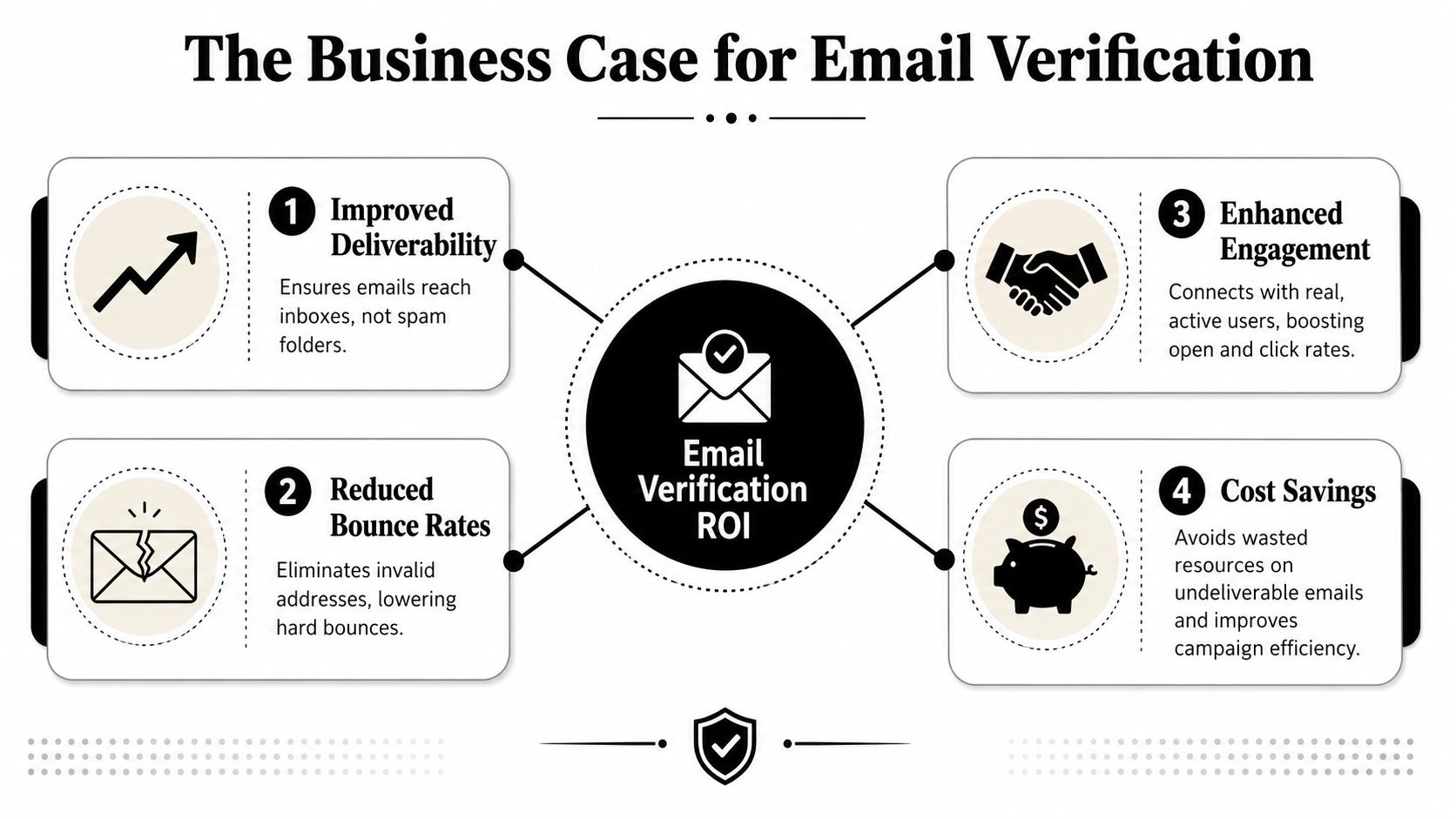
That is why verification belongs in the revenue process, not in a one-time list cleanup. It protects sender reputation, preserves sending capacity, and gives sales and marketing teams a more accurate view of how much reachable pipeline they have. The point is not cleaner spreadsheets. The point is sending fewer wasted emails and getting more signal from every campaign.
Reputation protection comes first
The first business win is risk reduction. Every avoidable bounce tells mailbox providers something about list quality, and poor list quality makes inbox placement harder to hold over time.
The cost shows up in several places at once:
- Deliverability weakens because mailbox providers see more mail going to unreachable recipients.
- Outbound capacity gets wasted on contacts that had no chance of replying.
- Reporting gets less reliable because bounce-heavy campaigns distort engagement rates and make testing results harder to trust.
Teams that care about domain health usually pair verification with authentication, list segmentation, and tighter sending controls. For a practical follow-on, this guide on how to improve email deliverability connects those operational pieces.
A quick walkthrough can help frame the operational logic:
Verification improves efficiency and pipeline math
The second return is productivity. Invalid, disposable, and misclassified addresses consume time in every system they touch.
Sales reps waste research time on contacts that will never engage. Marketing automation keeps firing messages into dead inboxes. RevOps teams review campaign performance built on a denominator that was wrong from the start. Clean data fixes part of that by reducing bad records before they enter outreach and reporting workflows.
There is a trade-off, and strong teams accept it. Verification often shrinks the list. That can feel uncomfortable when the target is meeting activity numbers. In practice, smaller lists with higher reachability produce cleaner tests, better reply-rate benchmarks, and more believable pipeline forecasts.
Field advice: Treat verification as a gate before outreach, not as a repair step after performance drops.
It also protects data quality upstream
The business case extends beyond outbound. Verification at sign-up or form submission improves the quality of records entering the CRM and product database in the first place.
That matters for lifecycle marketing, onboarding, lead routing, and abuse prevention. A fake or temporary address does not just hurt email performance. It weakens attribution, pollutes lead scoring, and creates user records that look real in reports but cannot support revenue activity later.
This is also where advanced verification matters more than basic syntax checks. Modern teams deal with catch-all domains, disposable services, and servers that accept mail broadly without proving a real monitored inbox exists. If the tool cannot separate lower-risk contacts from uncertain ones, the business still absorbs the cost through lower reply rates, noisier metrics, and reputation exposure.
Navigating Modern Verification Challenges
A sales team cleans a list, loads a sequence, and still sees weak reply rates from addresses that looked valid at upload. The usual cause is not bad syntax. It is uncertainty hiding behind modern mailbox behavior.

Catch-all domains change the decision model
Catch-all domains accept mail for many addresses at the domain level, even when no one can confirm that a specific mailbox is real or monitored. That matters in B2B prospecting because many corporate domains are configured this way. A basic verifier may return a positive SMTP response, but your team still does not have proof that a person will ever see the message.
Modern verification works best as a risk system, not a certainty machine. Strong tools separate deliverable, risky, disposable, and catch-all results instead of flattening everything into valid or invalid, as explained in VerifiedEmail's breakdown of verification outcomes.
That distinction changes execution. For example, a risky address might be routed into a low-volume manual touch pattern or held for enrichment instead of being pushed straight into the main automated outbound sequence.
Disposable inboxes and ambiguous server responses create different risks
Disposable addresses create a different operational problem. The mailbox may exist long enough to pass a check, then disappear or go unmonitored. For growth and sales teams, that inflates lead counts, weakens qualification data, and wastes rep attention on contacts that never had real buying potential.
Receiving servers also introduce ambiguity on purpose. Greylisting, temporary failures, and defensive SMTP behavior can obscure whether the mailbox is reachable. If the verifier handles those responses poorly, the result quality drops fast. Teams then make sending decisions with false confidence.
That is why evaluation should focus on how a provider handles uncertain cases, especially catch-all and temporary responses. Side-by-side benchmark comparisons of email verifiers are useful here because the gap between vendors often shows up in the gray area, not in obvious invalid addresses.
Why a "verified" result still needs context
A verified result means the address passed a set of checks. It does not prove inbox ownership, human monitoring, or buying intent.
That distinction matters more now because verification serves two different business jobs. At sign-up, the goal is cleaner account creation and lower abuse. In list hygiene, the goal is better deliverability decisions before sending. Mailbox providers do not always expose enough information to confirm both with certainty, which is why advanced verification tools classify risk instead of pretending every address can be resolved to a simple yes or no.
Basic guides often miss this point. The value of verification is not just reducing bounces. It is protecting sender reputation, preserving pipeline efficiency, and giving sales and marketing teams a more accurate picture of which records deserve outreach.
How to Choose the Right Email Verification Service
Buying the wrong verifier usually does not fail in the demo. It fails later, when sales works a “verified” list that still produces soft bounces, catch-all uncertainty, and weak reply rates. Price matters, but decision quality matters first because verification only pays off if the output helps your team send, suppress, or review records with confidence.

Evaluate the result model before the dashboard
The first question is simple. What actions does the result support?
A useful service does more than label an address valid or invalid. Growth teams need enough detail to decide whether a record belongs in outbound, needs manual review, or should be blocked at capture. That is especially true for B2B prospecting, where catch-all domains, role accounts, and temporary SMTP behavior can make a shallow pass/fail result look cleaner than it is.
Look for a provider that clearly separates:
| Decision need | Why it matters |
|---|---|
| Deliverable vs risky | Supports better send and suppression decisions |
| Catch-all handling | Helps teams treat uncertain B2B records with the right caution |
| Disposable detection | Reduces low-value sign-ups and abuse risk |
| Role-based identification | Flags aliases that often convert poorly in direct outreach |
If those categories are missing, your ops team ends up creating its own rules on top of incomplete data.
Match the tool to the job
Verification for sign-up flows and verification for outbound lists solve different business problems. One protects account creation and reduces junk data at the door. The other protects domain reputation and keeps SDRs from wasting touches on bad records.
That difference should shape your buying criteria.
- For sign-ups, prioritize API response time, form-level validation, challenge-response support, and disposable domain controls.
- For outbound lists, prioritize catch-all classification, risk scoring, bulk throughput, and export logic that fits sending policy.
- For CRM cleanup, prioritize integrations, suppression workflows, auditability, and clear status mapping back into the source system.
Teams that ignore this split often overbuy on interface polish and underbuy on decision support.
Compare operational fit and testing discipline
Once the result model is strong, compare how the service fits your workflow. Bulk and real-time verification should both be available if the same team owns lead capture and campaign prep. API documentation matters, but so do retry behavior, rate limits, reporting, and whether the platform explains why a record was flagged instead of forcing your team to guess.
A short pilot tells you more than a feature matrix. Run the tool against a known sample from your own database, including older contacts, B2B domains, and a segment with catch-all exposure. Then review how many records fall into uncertain buckets and whether those classifications match what your sending history suggests. A benchmark comparison of email verifiers can help frame that evaluation before you run your own test.
Vendor shortlists often include ZeroBounce, Kickbox, NeverBounce, and Icypeas. The right choice depends less on brand familiarity and more on whether the output improves list decisions, protects inbox placement, and fits the way your team works. If your broader ops stack is also being reviewed, guides that boost SMB productivity with AI can help teams think through automation priorities around cleanup, routing, and manual review.
Integrating Verification into Your Workflow
Verification works best when it's built into operations, not treated as an occasional repair job. The right setup usually combines point-of-entry checks with periodic list maintenance.
Use real-time checks at the point of capture
If a user enters an address on a signup form, trial flow, lead form, or product gate, that's the cheapest moment to catch bad data. Real-time verification stops obvious mistakes before they spread into lifecycle messaging, routing logic, or sales handoff.
For account ownership workflows, challenge-response verification is still the cleanest control. Send the link or code, require completion, and don't treat the address as fully confirmed until the user proves inbox access.
Use bulk verification before campaigns and imports
Bulk verification belongs upstream of every large send, CRM import, list purchase review, and partner data sync.
A workable sequence looks like this:
- Verify before import so bad records don't pollute core systems.
- Verify before outreach so stale data doesn't hit your domain reputation.
- Review risky segments separately instead of mixing them into normal outbound.
- Suppress known bad classes such as undeliverable or disposable records where relevant.
For teams automating more of this work, pairing list hygiene with broader workflow automation can remove a lot of manual cleanup. Resources like boost SMB productivity with AI are useful if you're designing lightweight operational systems across sales and marketing ops.
Build a repeatable operating habit
Verification isn't one-and-done. People change jobs, companies switch infrastructure, inboxes get abandoned, and CRM records decay. The operational goal is to keep bad data from accumulating faster than your team can clean it.
A simple approach works well:
- At capture verify new records in real time
- Before campaigns run bulk verification on the active audience
- During CRM maintenance recheck aging records and imported lists
- For reps provide an easy single-email lookup path with a tool like Icypeas' free email verifier so they can check questionable addresses before sending
Good verification practice also aligns with broader compliance principles. Cleaner records support data accuracy, reduce unnecessary retention of unusable contacts, and help teams avoid processing contact data that has no realistic operational value.
If your team depends on outbound, sign-up quality, or CRM accuracy, Icypeas is one option to evaluate for email verification, enrichment, and list hygiene workflows. It's built for B2B data operations, supports single and bulk checks, and fits teams that need verification to be part of day-to-day prospecting rather than a one-off cleanup project.
























































































.png)



.webp)