.avif)
How to Find Business Email Addresses: Boost Outreach in 2026


.avif)
You've got a target account list, a clear offer, and a rep ready to send. Then the slowdown starts. One prospect has no visible contact page. Another company hides team details. A guessed email bounces. The sequence stalls before the first message even leaves the outbox.
That's why learning how to find business email addresses matters more than generally acknowledged. This isn't a side task for SDRs or a cleanup job for ops. It sits right at the start of pipeline creation. If the contact data is weak, everything after it gets weaker too.
Business email lookup has also become more standardized over time. The launch of Gmail on April 1, 2004 helped accelerate web-based email access, and Gmail now reports more than 1.8 billion active users in professional and personal communication, which is one reason name-plus-domain workflows still show up in modern prospecting practice, as noted by Business.com's overview of business email finding. Email is still where deals start, follow-ups happen, and buying conversations move forward.
Table of Contents
- The real bottleneck is trust in the data
- Good outreach starts before copywriting
- What works and what doesn't
- Start with the domain, not the person
- Use search queries that expose patterns
- Know when manual work stops paying off
- Is it legal to find and use business email addresses
- What's the best way to find contacts by job title
- Can you find personal email addresses the same way
Why Finding the Right Email Is Half the Battle
A lot of outreach problems look like messaging problems when they're really data problems. Teams rewrite subject lines, swap call-to-actions, and test send times, while the actual issue is simpler. They never reached the right inbox.
A bad email address wastes more than one send. It burns rep time, creates false negatives in campaign analysis, and can hurt sender reputation when bounces stack up. If you're running outbound at any volume, that's not an annoyance. It's an operating constraint.
The real bottleneck is trust in the data
The first job isn't sending. It's getting to a contact point you can trust enough to use.
That changes how strong teams work. They don't treat email finding as a one-off search done ad hoc by whoever owns the account. They treat it as a process with stages: identify the company domain, infer or retrieve the likely address, verify it, enrich the record, then move it into the CRM or sequencing tool.
Practical rule: If your team can't explain where an email came from and whether it was verified, you don't have contact data. You have a guess.
Good outreach starts before copywriting
The most common failure mode is simple. A rep finds a plausible address, sends immediately, and assumes syntax equals accuracy. It doesn't. Plenty of addresses look right and still fail in actual use.
This is why the best playbook is operational, not clever. Start with the fastest reliable path for the account you're working. For one strategic prospect, manual research may be enough. For a market map or outbound campaign, you need a repeatable system that can handle volume without lowering deliverability standards.
A clean workflow also creates better accountability across sales and marketing. SDRs know which contacts are safe to use. RevOps knows what should enter the CRM. Marketing knows which records are usable for nurture, suppression, or segmentation.
What works and what doesn't
Here's the practical distinction:
| Approach | What works | What fails |
|---|---|---|
| Ad hoc searching | Fine for a small number of high-value contacts | Breaks under volume |
| Pattern guessing alone | Useful as a starting point | Unsafe if used as proof |
| Finder plus verification | Strong for repeatability and scale | Still needs workflow discipline |
| CRM-only reliance | Helpful when records are fresh | Weak when records are stale or incomplete |
The point isn't to find any address. It's to find the right business email, confirm it's usable, and move it into a system your team can act on.
Manual Techniques for Finding Emails on a Budget
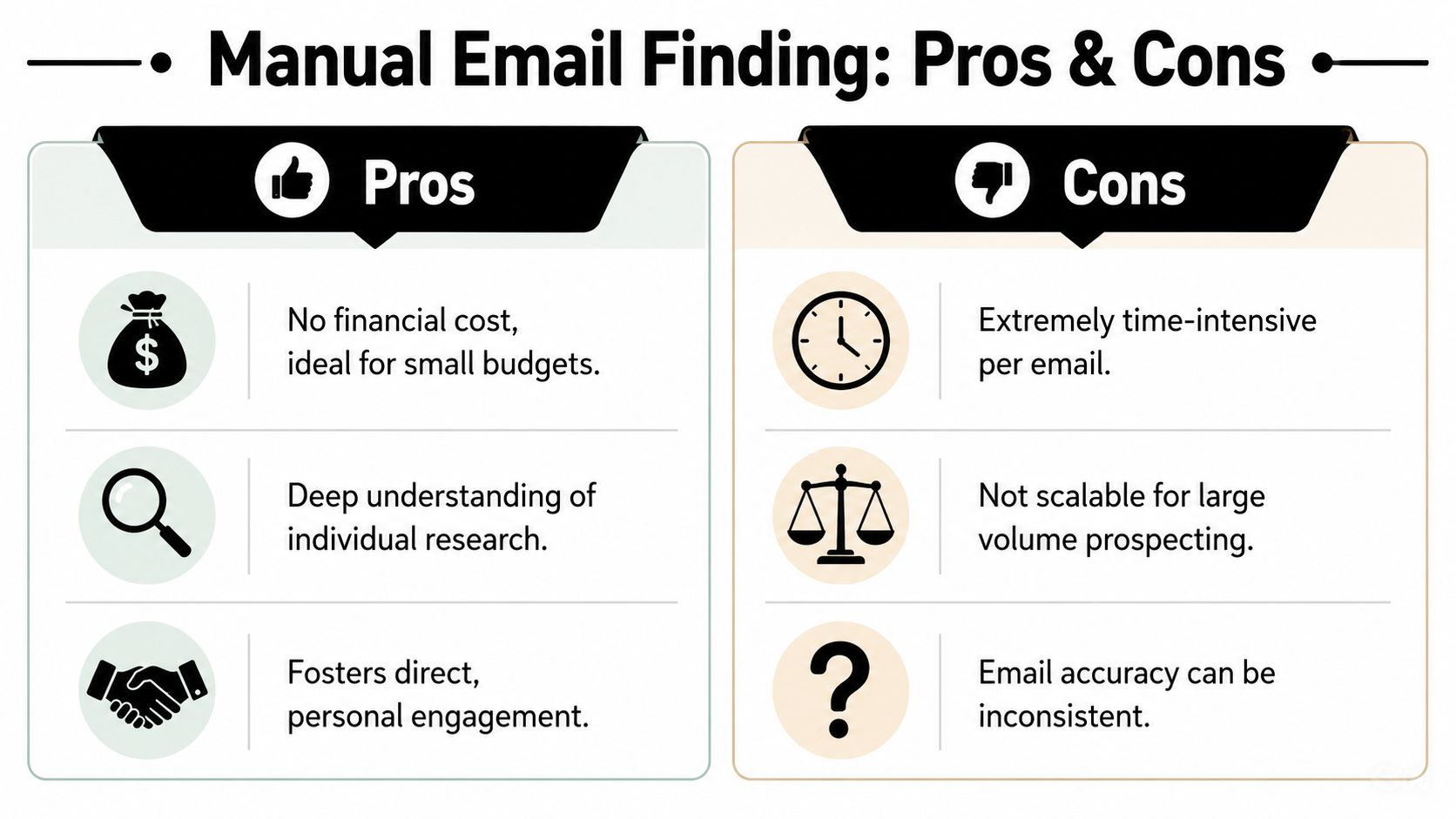
Manual email finding still has value. If budget is tight, or you're going after a short list of strategic accounts, free methods can get you surprisingly far. The trade-off is labor. You're replacing software with time.
Start with the domain, not the person
Most manual workflows fail because people begin with the target name and skip the company's email pattern. That's backwards. First identify the company domain. Then look for any public email tied to that domain. One exposed address often tells you the naming convention for everyone else.
A practical method is domain-pattern inference plus verification. Public conventions often follow structures like firstname.lastname@domain, firstname@domain, or firstinitiallastname@domain, and teams commonly use company-domain searches, WHOIS or ICANN lookups, and exact-match Google queries to recover those patterns, as outlined in InfoGlobalData's guide to finding company email addresses. That approach is strong because it starts with observed evidence instead of blind guessing.
Try this order:
- Check visible pages first: About, team, press, blog author pages, and contact pages often expose one or more staff emails.
- Look for documents: PDFs, case studies, media kits, and event brochures often keep older contact details in plain text.
- Scan company social profiles: Some smaller firms publish a direct contact email in bios or profile descriptions.
- Check the domain owner trail: WHOIS or ICANN records sometimes reveal useful domain-level context, even if they don't give the target's direct address.
Use search queries that expose patterns
Google remains useful if you query like an operator, not a browser. Exact-match searches and domain-restricted queries help surface mentions that ordinary browsing misses.
A few reliable search patterns:
- Use site search:
site:companydomain.com "firstname lastname" - Match the domain with email clues:
"@companydomain.com" "firstname" - Search for documents:
"firstname lastname" filetype:pdf - Look for direct contact wording:
site:companydomain.com "firstname lastname" contact
If LinkedIn is part of your workflow, this guide on finding someone's email from LinkedIn is useful because it shows how to bridge profile data into email discovery without relying on guesswork alone.
Manual searching works best when you need precision on a small set of names, not when you need a list by Friday.
Know when manual work stops paying off
Manual methods are fine when you're researching a founder, a VP, or a shortlist of named buyers. They stop making sense when your team needs coverage across dozens of accounts or multiple contacts per account.
Here's the practical cutoff:
| Situation | Manual method fit |
|---|---|
| Single enterprise account | Good |
| Recruiting one niche candidate | Good |
| Building a territory list | Poor |
| Running agency outreach at scale | Poor |
The other limit is confidence. A pattern that looks right is still only a candidate. If you can't validate it, don't treat it as production-ready data. Manual work is a discovery layer. It isn't the final answer.
Using Dedicated Email Finder Tools for Speed and Scale
Once a team moves past one-off prospecting, manual search turns into hidden cost. Reps spend time searching instead of writing, calling, and following up. That's where dedicated email finder tools earn their place.

Why databases changed the workflow
The reason modern tools exist is simple. Lookup at scale became a database problem long ago. One major provider says it has more than 100 million professional email addresses in its database, while another reports over 200 million business contacts and 26 million companies, which shows why database-assisted lookup became central to the category, as described on Hunter's email finder page.
That matters operationally. When you already know the name and domain, a tool can often retrieve a likely work address faster than any rep doing the same process manually. The better products don't just return a string. They return context, confidence signals, company match data, and bulk workflow options.
What a serious tool should actually do
A dedicated finder should solve four problems:
- Speed for single lookups: A rep should be able to search one contact without opening ten tabs.
- Bulk processing: Ops and agencies need list uploads, not just one-by-one searching.
- Verification support: Discovery without validation creates downstream risk.
- Workflow output: The result should move cleanly into CRM, CSV, or API pipelines.
A practical example is the Icypeas free email finder, which can be used when you have a person's name and company domain and need a professional email lookup before passing the record into the next step.
If you build your own enrichment layer, web retrieval matters too. In cases where company pages, staff directories, or public profiles need to be collected before enrichment, an HTML scraping API can help normalize raw page content into something your pipeline can use programmatically.
The second piece of the workflow is education. This walkthrough is worth watching if your team is still treating email discovery as isolated rep work rather than a repeatable sales operation.
Buy tools for the part humans are bad at. Repetition, volume, and consistency. Keep humans focused on judgment and message quality.
The trade-off is straightforward. Tools save time and improve consistency, but they don't remove the need for process. If your team uploads weak input data, skips verification, or pushes everything straight into sequences, the software won't save you from bad decisions. It just helps you make the good ones faster.
The Critical Step Most People Skip Email Verification
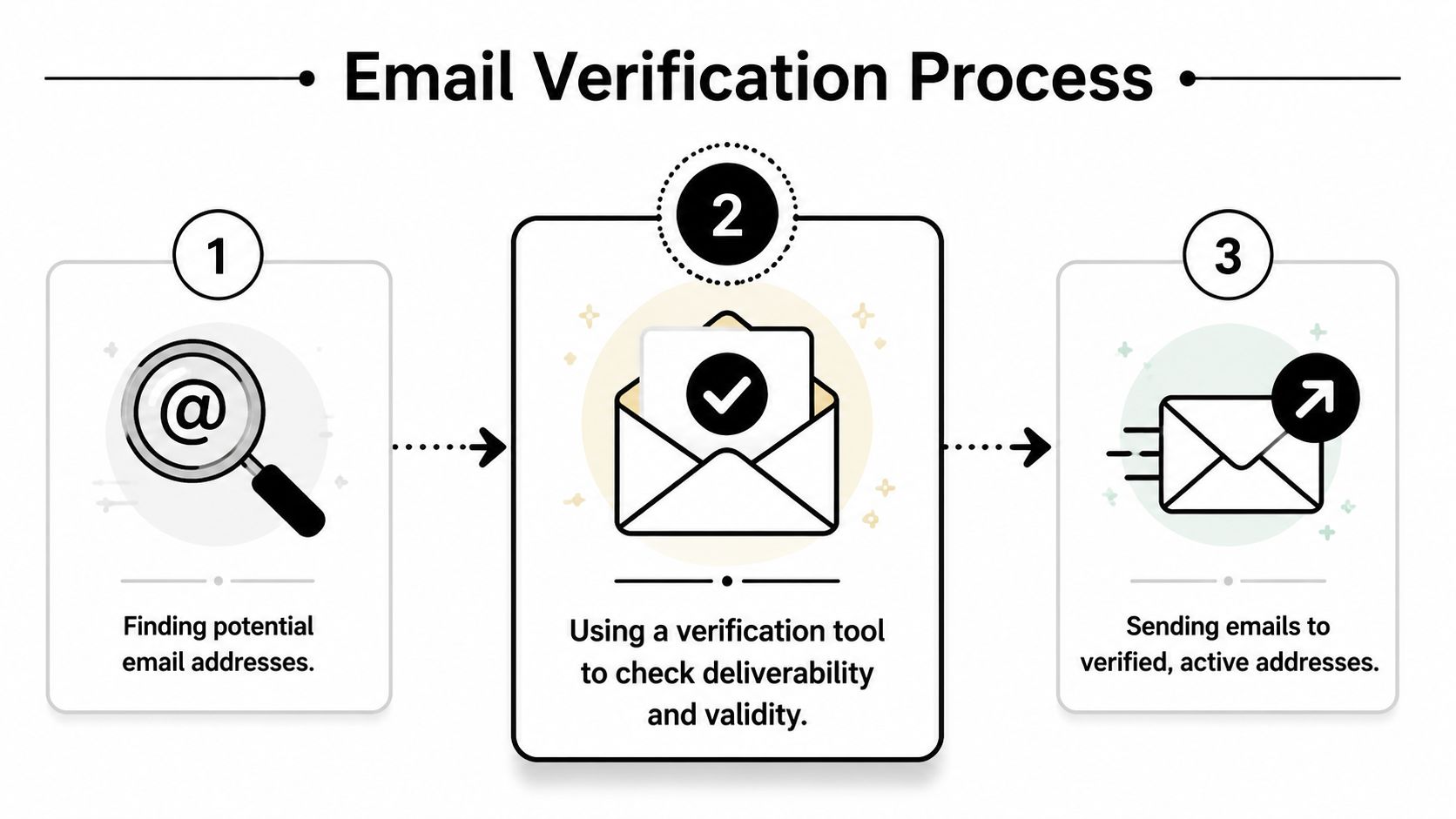
Finding an email isn't the finish line. It's the start of a quality check. Too many teams stop at “this looks right” and send anyway. That's how bounce risk gets into your outbound engine.
What verification tells you before you send
Verification exists because plausible doesn't mean deliverable. Some mail systems accept broad patterns. Others hide mailbox existence. Some companies use anti-enumeration behavior that makes naive checking unreliable.
That's why current guidance increasingly recommends generating only 3 to 5 likely permutations and verifying each one before sending, rather than pushing live outreach to unverified guesses, as explained in Clearout's discussion of legal and ethical business email finding.
A proper verification step usually answers questions like these:
- Is the email syntactically valid
- Is the domain configured to receive mail
- Does the mailbox appear deliverable
- Is the result risky because of catchall behavior
You don't need to inspect the underlying mechanics every time. You do need to understand the outcome well enough to decide whether the address is safe to use.
How to handle valid, invalid, and risky results
Think in terms of actionability, not technical labels.
| Result | What it means for outreach | Recommended action |
|---|---|---|
| Valid | The address is suitable for normal workflow use | Safe to queue |
| Invalid | The address shouldn't be mailed | Suppress it |
| Risky or catchall | The server behavior limits confidence | Use caution or seek another route |
Catchall domains are where teams get sloppy. A guessed address can appear acceptable and still fail to reach a real person. That's why verification should sit between discovery and sending, not after a campaign underperforms.
A deeper explainer on what email verification is is useful if your team needs a shared definition of valid, invalid, and risky outcomes before setting CRM rules or sequence policies.
A verified address gives you permission to proceed operationally. It does not guarantee a reply. It does guarantee you're no longer mailing a guess.
For sales teams, that distinction matters. Messaging affects response. Data quality affects whether the message gets a fair chance at all.
Advanced Scenarios and Troubleshooting
The easy cases aren't what break an outbound workflow. The hard ones do. The local business without a website. The account with no team page. The decision-maker whose trail goes cold after basic searches.
When the business has no usable website
This use case gets ignored in most guides, but it shows up constantly in local sales, agency prospecting, and field-market outreach. Some businesses have no website at all. Others have one, but it's outdated, empty, or useless for contact discovery.
One practical approach for businesses without websites is to start from Google Maps, review platforms, and local business associations, then use signals like an empty website field and recent reviews to confirm the business is active, as noted in Outscraper's guide to finding businesses without websites for cold outreach.
When that's the case, work this sequence:
- Start with local listings: Pull business name, address, phone, and category from maps and directories.
- Cross-check review activity: Recent reviews suggest the business is still operating and worth pursuing.
- Use association pages: Trade groups, chambers, and member directories often list owner or manager details.
- Look for alternate digital footprints: Facebook pages, booking tools, delivery listings, and directory bios can expose naming clues or contact channels.
When the exact decision-maker won't surface
Sometimes the company is visible, but the target person isn't. Don't keep forcing direct-email discovery if the evidence isn't there. Move laterally.
Try adjacent-contact logic:
- Find a colleague in the same function. If the VP of Operations is invisible, locate an operations manager or director.
- Confirm the domain pattern from that person. One validated colleague can reveal the company convention.
- Use generic inboxes carefully. A role-based mailbox can open the door if direct routing fails.
- Ask for referral routing. A concise message to the adjacent contact often gets forwarded internally if the relevance is strong.
This is one place where experience matters. Reps who insist on the exact named contact often lose momentum. Reps who work the org intelligently keep the account moving.
If you can't reach the ideal person directly, reach the nearest relevant person with a credible reason to forward you.
That approach won't solve every case, but it saves a lot of stalled outreach that would otherwise die in research.
From Data to Pipeline Integrating Emails into Your Workflow
A found email sitting in a spreadsheet doesn't create pipeline. A usable record inside a workflow does. The gap between those two states is where a lot of teams underperform.

Turn a found email into a usable record
The email itself is only one field. To make it actionable, pair it with the minimum context your reps and systems need:
- Identity fields: Full name, company, and title
- Account context: Industry, company size band, region, and website
- Routing fields: Owner, source, verification status, and date captured
- Outreach context: Segment, persona, campaign, and personalization notes
Enrichment starts doing real work. A plain email helps you send. A structured contact record helps you prioritize, personalize, assign, suppress, and measure.
If your team is thinking more broadly about transforming sales data into revenue, the useful takeaway is that enrichment isn't just about adding fields. It's about making every downstream action more relevant.
Build a repeatable operating process
The strongest workflows usually look like this:
| Stage | What happens |
|---|---|
| Capture | The rep or system identifies the person and company |
| Find | The workflow retrieves or infers the business email |
| Verify | The address gets checked before sequence entry |
| Enrich | Title, company data, and segmentation fields are added |
| Activate | The record enters CRM, outbound, or routing automation |
This matters for more than outbound. Product teams can enrich inbound sign-ups. Marketing ops can clean old records before reactivation campaigns. RevOps can stop duplicate or risky contacts from entering the CRM in the first place.
The biggest mistake here is fragmentation. One tool finds the email. Another verifies it. Someone exports a CSV. Someone else uploads it later. That creates lag, version confusion, and stale records.
A better model is simple. Define a single record lifecycle. Decide when an email becomes usable, where verification status lives, who owns exceptions, and which systems receive the final record. Once that's in place, contact data stops being a research chore and starts behaving like infrastructure.
Frequently Asked Questions
Is it legal to find and use business email addresses
The short answer is that legality depends on jurisdiction, purpose, and how you handle the data. In B2B settings, teams usually work from professional contact data and public business context, but that doesn't remove the need for compliance review.
At a minimum, your outreach should be relevant, transparent, and respectful of opt-out requirements where they apply. Your legal team should define the rules for your markets, especially if you're dealing with contacts in multiple regions. The safest operating standard is simple: collect only what you need, document source context, and make suppression easy.
What's the best way to find contacts by job title
Start with the account, not the title alone. Build a list of target companies, identify the likely function you care about, then search for one or more people inside that function. Once you have names and company domains, email finding becomes much more reliable.
For example, “Head of Demand Generation” at a named SaaS company is a workable target. “Demand gen leader in software” is not. The more account-specific your workflow is, the better your hit rate and the cleaner your outreach.
A good role-based workflow usually includes:
- Company first: Lock the account before chasing titles
- Function second: Sales, finance, operations, product, or marketing
- Seniority third: Director, VP, founder, manager
- Backup contacts: Identify adjacent stakeholders in case the primary person is unreachable
Can you find personal email addresses the same way
Not reliably, and not with the same use case. Professional tools are typically built for business email addresses, where name-plus-domain logic and company context make the lookup process possible.
Personal email addresses like Gmail or Hotmail don't follow the same operational pattern for B2B prospecting. They also raise different privacy and compliance concerns. If your goal is business outreach, stay focused on work emails tied to a company and role.
The practical takeaway is simple. Don't treat email finding as a guessing game or a single rep task. Treat it as a repeatable system: identify, find, verify, enrich, activate.
If your team wants one place to handle that workflow, Icypeas provides B2B data enrichment for finding, verifying, and enriching professional contact records so sales, marketing, and product teams can move from raw contact data to usable pipeline inputs.
































































.png)



.webp)