.avif)
8 Outbound Calling Scripts That Close Deals in 2026


.avif)
Your team already knows the feeling. You load a clean list, open the dialer, and hear reps using outbound calling scripts that sound copied from a decade-old sales blog. The opener is generic. The pitch arrives too early. The rep talks too much. The prospect checks out before the underlying problem even surfaces.
That's why bad scripts cost more than missed conversations. They waste good data, burn strong accounts, and hide what is broken in the call motion. If your contact data is enriched, verified, and current, the script should reflect that. A rep who knows the prospect's role, likely workflow, recent trigger, and probable data issue can sound precise without sounding rehearsed.
The best outbound calling scripts today are short, structured, and flexible. They give reps a reliable opening, enough room for discovery, and a clean path to the next step. They also work better when paired with accurate data enrichment. Tools like Icypeas help reps move from “I'm just reaching out” to “I'm calling because your team likely runs into this exact problem.”
Below are eight practical scripts I'd readily hand to SDRs, AEs, and account teams. Each one is built to be customized with enriched contact and company data, not delivered word for word.
Table of Contents
1. Cold Call Script for B2B Data Enrichment Discovery
A cold opener works when it sounds intentional. If you're calling a VP of Sales, Marketing Ops lead, or RevOps manager, pull in one enriched detail before you dial. Use title, company size, hiring pattern, sales motion, or a recent campaign signal. Then tie that context to a data-quality problem they'd plausibly care about.
The worst version sounds like this: “We help companies improve their data.” That tells the prospect nothing. A better version sounds like you did your homework and know where bad records create operational drag.
Build the opener from verified context
If your team uses Icypeas, validate the person, the company domain, and the likely workflow before the call. If the account looks outbound-heavy, lead with list quality. If it looks inbound-driven, lead with sign-up enrichment. If the company has a lean ops team, lead with CRM hygiene and fewer manual fixes.
For teams comparing stack options, this roundup of B2B data enrichment tools is useful framing before you train reps on positioning.
Script
“Hi [First Name], this is [Rep] with Icypeas. I'm calling because teams in [sales/marketing/revops] usually hit the same wall when contact data gets stale. Campaigns slow down, bounce risk rises, and reps lose trust in the CRM. Mind if I take 20 seconds to tell you why I called?”
If they say yes:
“We help teams find, verify, and enrich professional contact data before it hits outbound campaigns or workflows. Looking at [Company], I thought this might be relevant if your team is cleaning lists manually, enriching inbound sign-ups, or trying to improve contact accuracy before a launch. Is any of that live for you right now?”
If they engage, move to discovery fast.
- Ask workflow-first: “Where does contact quality break today. At list building, verification, CRM sync, or handoff?”
- Ask ownership: “Who owns data hygiene on your side. Sales Ops, Marketing Ops, or the SDR team?”
- Ask impact: “When records are wrong, what hurts first. Deliverability, rep productivity, or reporting?”
Practical rule: Don't pitch enrichment as a database purchase first. Pitch it as a fix for a current workflow failure.
If the prospect books meetings for field teams or service visits, some of the same calling discipline shows up in these strategies for booking moving appointments. The context is different, but the need for a clean opener and a clear next step is the same.
2. Voicemail Script for Data Enrichment Platforms
A prospect misses your call at 8:17. Your email hits their inbox at 8:19. If the voicemail was clear, specific, and tied to one real issue, the email makes sense on contact. If the voicemail was generic, it gets deleted with everything else.
That is the job of this touch. Build recognition for the next step.
Keep the message short. State who you are, why the account was worth calling, how to reach you, and what will happen next. Anything beyond that usually hurts response rates because reps start cramming in product detail the buyer did not ask for.
What a voicemail has to do
A strong voicemail does three things. It gives the prospect a reason to place you, a callback path that is easy to catch on one listen, and continuity with the email or next call in your outbound sales cadence.
The trade-off is relevance versus volume. Reps who personalize every voicemail from scratch burn time fast. Reps who read the same generic message to every account sound disposable. The middle ground works better. Use one enriched data point and one likely pain point tied to that contact's role.
For example, a Marketing Ops lead might hear a message about bulk verification before a campaign import. A RevOps manager might get one about duplicate records or weak CRM coverage. A sales leader hiring new SDRs might get one about list accuracy before ramp.
Script
“Hi [First Name], this is [Rep] with Icypeas. I'm calling because your team looks to be scaling outbound, and that usually puts pressure on contact accuracy, verification, and CRM coverage. We help teams clean and enrich professional contact data before it reaches reps. You can reach me at [number]. Again, [number]. I'll send a short email with context, and I'll try again [day].”
This works because it stays narrow. The prospect hears the category, the operational problem, and the next action. That is enough for voicemail one.
Say the callback number slower than feels natural. Fast numbers get lost.
For a warmer account, swap the middle lines with a verified trigger from your enrichment workflow:
“Hi [First Name], this is [Rep] with Icypeas. I saw your team recently [trigger], and that often creates cleanup work around contact verification and CRM updates. We help teams enrich and verify data before those gaps hit outbound execution. You can reach me at [number]. Again, [number]. I'll send a quick note with context.”
Use triggers you can defend. Recent hiring, new territory coverage, a tool rollout, or a visible outbound push are all fair. Vague lines like “just wanted to connect” waste the touch.
3. Follow-Up Script for Persistent Engagement
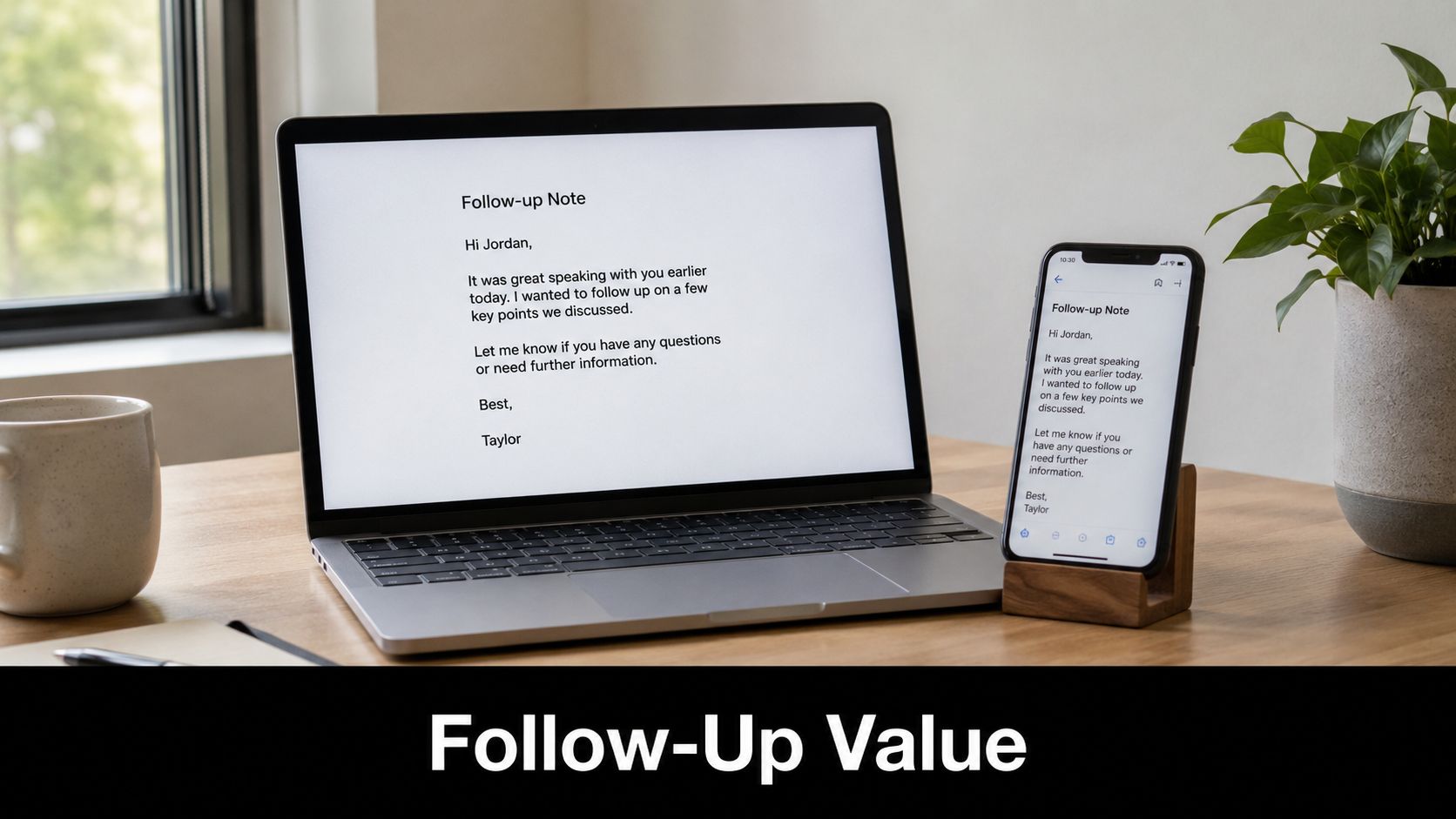
A follow-up call shouldn't sound like a replay of touch one. If the first call introduced the problem, the second or third should sharpen relevance. That usually means a new trigger, a narrower use case, or a better angle based on enriched data.
I see reps fail here when they say, “Just bumping this up” in email, then call with the same script. That's not persistence. That's repetition.
Change the angle, not just the timing
A structured outreach cadence in business matters because timing without message variation burns the account. Before the next call, verify whether the contact changed roles, whether the company posted new hiring, or whether the initial use case still makes sense.
One overlooked distinction matters here. Warm inbound leads and cold prospects shouldn't get the same opener. Reaching out within minutes of a lead action can improve connection rates by 3 to 5 times compared with cold outreach, according to Pipedrive's article on outbound sales calls. If the lead downloaded a guide or requested something, reference that intent directly.
Script
Second touch for a cold prospect:
“Hi [First Name], [Rep] from Icypeas again. I reached out earlier this week because teams in your role often end up fixing contact data after campaigns are already in motion. I had one more reason to call. It looks like [Company] is [trigger], which usually means more records, more handoffs, and more room for bad data to spread. Is that something your team is dealing with now?”
Third touch for a warm inbound lead:
“Hi [First Name], this is [Rep] with Icypeas. I saw you checked out [asset or action], so I wanted to be specific. When teams start evaluating enrichment after that step, it's usually because they need cleaner routing, stronger verification, or a faster way to turn partial records into usable contacts. Which one is closest to what prompted the interest?”
- New angle: Mention a changed trigger, not the same pain point.
- New asset: Refer to a relevant use case or workflow.
- New ask: Move from “Did you see my email?” to “Is this active on your side?”
4. Objection Handling Script for Data Quality Concerns
Objection handling breaks when reps hear resistance and start defending the product too early. Good outbound calling scripts don't try to overpower objections. They slow down, validate the concern, and expose what's underneath it.
That matters even more in data-enrichment deals because “we already have a tool,” “we're worried about compliance,” and “we don't want another workflow” can all mean different things.
Don't swat objections away
If a prospect says they're happy with their current provider, don't jump into an attack. Respectful acknowledgment paired with a comparative pivot can increase follow-up rates by 27%, according to Ringy's article on outbound calling scripts. That works because it lowers defensiveness.
A rep who says, “If you're content with your current provider, I respect that. Where we tend to be different is [specific differentiator]” sounds more credible than the rep who immediately insists the incumbent is weak.
Script framework
Use this sequence:
“Totally fair.”
“Can I ask what's driving that concern?”
“Here's where teams usually compare us differently.”
“Would it help if I showed you that in a short working session?”
For common objections:
- Already using another tool: “Makes sense. A lot of teams don't replace their stack outright. They add a stricter verifier, better reverse lookup, or broader enrichment where the current tool leaves gaps.”
- Compliance concern: “That's a valid concern. We should deal with that directly. If compliance is the blocker, I can walk you through how your team would review data sourcing and handling before anyone changes process.”
- Too expensive: “Compared with what you're solving today, where does the cost feel misaligned. Volume, workflow fit, or confidence that the data will hold up?”
- Need to involve the team: “Good. Who will care most about this day to day. Sales leadership, RevOps, marketing ops, or engineering?”
If you need help tightening the transition from objection to commitment, this guide on how to close the deal is a useful companion for manager training.
The rep's job isn't to win the argument. It's to keep a real evaluation moving.
5. Appointment-Setting Script for Calendar Holds
Many good calls falter when the rep earns interest and asks, “Would you maybe want to set up some time?” That language invites drift. Once a prospect has enough context, appointment-setting should be direct and easy to accept.
The call here isn't about re-selling the whole platform. It's about locking a specific meeting with a specific purpose.
Trade vagueness for commitment
The strongest version includes duration, attendees, and prep. It also gives the prospect two time options instead of opening a scheduling loop. If the meeting is for technical validation, ask for the technical stakeholder now. If it's for list hygiene or outbound workflow, ask for the ops owner now.
The best reps also state what the buyer should bring. That's not extra admin. It raises show-up rates because the meeting feels real.
Script
“Got it. Rather than try to cover this on the fly, let's put 20 minutes on the calendar and walk through your actual use case. I can show you how teams handle [verification / finder / reverse lookup / CRM enrichment] based on the workflow you mentioned. Does [day, time, timezone] or [day, time, timezone] work better?”
Once they choose:
“Perfect. Should anyone else join if we're talking through [deliverability / routing / API / CRM sync]?”
Then add one prep request:
“If you can, bring a small sample of the data you're working with, or just note where records usually break. That'll make the session more useful.”
A version for an AE booking a technical demo might sound like this:
“We've got enough context to make the next call productive. Let's lock 25 minutes with whoever owns your current data flow so we can validate fit against the process you described.”
- Use a short duration: Buyers are more likely to commit to a focused session.
- Name the outcome: “walk through your actual use case” beats “show you the platform.”
- Send invite immediately: Don't trust verbal agreement alone.
6. Upsell Script for Expanding Usage and Feature Adoption
Expansion calls fail when account teams act like they're prospecting from scratch. Existing customers don't need a cold pitch. They need a sharp observation about current usage and a credible adjacent use case.
If a customer already trusts Icypeas for one motion, the next conversation should connect that success to another team, workflow, or product.
Start with observed behavior
Look at what they already use. If they rely on Email Verifier heavily, ask what happens before verification. If they use finder tools, ask how they validate and route records after discovery. If they enrich manually in the app, ask whether the API should take over repetitive steps.
Icypeas has useful product-to-product paths here. Email Finder can lead into Email Verifier. Reverse Email Lookup can support support-team or inbound workflows. The lead database and People Scraper can support more customized outreach when a sales team needs deeper personalization.
Script
“Hi [First Name], I noticed your team has been using [current product or workflow] consistently, so I wanted to ask a better question than ‘are you interested in more seats?’ What part of the process still feels manual or unreliable around that workflow?”
If they answer, continue:
“That helps. Teams in your position usually expand in one of two ways. They either connect another product to fix the step before or after the one you've solved, or they extend the same workflow to another team. Which sounds more relevant on your side?”
For example:
- Verifier to Finder: “If your team is verifying lists after they're built, are reps still spending too much time finding contacts in the first place?”
- Web app to API: “If volume is rising, does anyone on your team want this handled inside your existing workflow rather than by export and upload?”
- Marketing to sales expansion: “If marketing is already using cleaner records, are outbound reps still working from older CRM data?”
Existing-account calls should sound like pattern recognition, not quota pressure.
7. Renewal and Retention Script for Maintaining Customer Relationships
Renewal calls go wrong when the account team waits too long and turns the whole conversation into pricing. If usage is strong, the customer still wants to feel seen. If usage is soft, they want honesty and help, not a defensive monologue.
A retention script should prove that you understand the account's actual behavior and that you're willing to address friction before asking for commitment.
Retention calls should sound calm, not defensive
Start with value, then ask about fit. If usage dropped, say it plainly. If another team should be included, ask. If the customer has unresolved concerns, surface them before talking terms.
The conversation becomes easier when account notes are clean and product usage is visible. That way the rep can ask focused questions instead of generic satisfaction prompts.
Script
Hi [First Name], I wanted to connect before renewal so we can make this decision based on how your team is using Icypeas, not just on the contract date. From what I can see, your team has been using [product/workflow] for [primary use case]. I'd like to understand two things. What's working well, and where is the workflow still falling short?
If they're healthy:
“If the current setup is doing the job, I want to make sure the renewal lines up with how you'll use it over the next term. Are there any new workflows, teams, or data requirements we should plan for now?”
If they're at risk:
“I also noticed usage looks lighter recently. That can mean priorities changed, ownership shifted, or the workflow isn't fitting the way it should. Which one is closest?”
Then move to a mutual next step:
“Let's sort out the right path before paperwork. If we need to adjust scope, bring in another team, or fix adoption, I'd rather do that now.”
This style keeps the customer in problem-solving mode, which is where retention is won.
8. Demo and Product Walk-Through Script for Technical Validation

A good demo isn't a product tour. It's a proof session. The buyer already gave you clues on the call. Your job is to show how the workflow handles their reality, not your favorite features.
That means your demo script should be built around the prospect's records, sequence, routing issues, or verification concerns. If you have enriched data and sample records, use them.
Run the demo against their workflow
Teams that test outbound calling scripts seriously often see the payoff when they isolate one variable at a time. SalesHive notes that A/B testing cold calling scripts can move B2B meeting rates from 2 to 3% to over 10% when teams track outcomes carefully and optimize one element at a time, in its piece on A/B testing cold calling scripts. That same discipline applies to demos. Show one workflow clearly, then validate whether it solves the issue.
Also remember the listening ratio. SalesHive notes that top reps follow a 70/30 listening rule during discovery in that same article. If you're talking through the whole demo without pause, you're missing buying signals.
Script
“Before I share screen, let me confirm what I heard. Your team is trying to [problem], and the main breakdown is happening at [step]. I'm going to show you the exact workflow for that first, then we can look at anything else you want to test.”
Then move through the product in sequence:
“First, here's how the data comes in.”
“Second, here's how your team verifies, enriches, or resolves partial records.”
“Third, here's what the output looks like when it's ready for the CRM or outbound tool.”
Pause often:
“Does this match how your team works today?”
“Would you want this handled by ops, by reps, or through the API?”
“What edge case do you want me to test live?”
For a technical buyer, be explicit about implementation. For a sales leader, be explicit about rep workflow. For RevOps, be explicit about data consistency and handoff quality.
8-Point Comparison of Outbound Calling Scripts
A script only works if it matches the call objective, the buyer's context, and the quality of the contact data behind it. Reps miss here all the time. They use a cold opener for a warm follow-up, or they push for a meeting before they have enough account context to sound relevant.
That is why the comparison below focuses on two things at once. First, how hard each script is to execute well. Second, what data and setup make it perform better in live outbound.
| Script | Complexity 🔄 | Resources & Setup ⚡ | Expected outcomes 📊⭐ | Ideal use cases 💡 | Key advantages ⭐ | Quick tip 💡 |
|---|---|---|---|---|---|---|
| Cold Call Script for B2B Data Enrichment Discovery | Medium to High. Fast pace and a strong opening matter. | SDR time, CRM, contact research, verified direct dials and firmographic data from tools like Icypeas | Faster qualification and better callback odds when the opener matches a real account trigger | First-touch outreach to Sales, Marketing, and RevOps teams | Creates relevance early and earns permission to keep going | Open with one specific data point about the account, then ask a low-friction question |
| Voicemail Script for Data Enrichment Platforms | Low to Medium. Short, disciplined delivery wins. | Calling tool, short script, follow-up sequence, accurate contact details | Modest callback volume, stronger name recognition, better performance on later touches | High-volume outbound where many calls hit voicemail | Keeps the touch light while giving the prospect a reason to recognize you later | Stay under 30 seconds and reference one concrete reason you called |
| Follow-Up Script for Persistent Engagement | Medium. Timing and message variation matter more than volume. | Sequencing tool, enrichment data, notes from prior calls and emails | Higher engagement than a first-touch call because the rep can build on prior context | Second through fourth touches across phone, email, and LinkedIn | Builds familiarity and adds new relevance each time | Do not repeat the first message. Add one new account signal on every follow-up |
| Objection Handling Script for Data Quality Concerns | High. Reps need product depth and proof. | Training, objection library, customer examples, security or compliance documentation | Better odds of keeping late-stage deals alive when concerns are addressed directly | Mid- to late-stage calls with technical, ops, or compliance pushback | Gives reps a clear way to answer skepticism without sounding defensive | Start by confirming the concern, then answer with process details, coverage, or verification standards |
| Appointment-Setting Script for Calendar Holds | Low to Medium. Clear next steps matter more than creativity. | Calendar tool, agenda template, confirmed time zone, clean contact info | More meetings booked and fewer scheduling stalls | Calls where the buyer is qualified and open to a next step | Turns interest into a committed time on the calendar | Offer specific time slots and explain exactly what the meeting will cover |
| Upsell Script for Expanding Usage and Feature Adoption | Medium to High. Requires account insight and good judgment. | Product usage data, AM or CS coordination, custom pilot offers | Better expansion conversations and stronger account growth when the pitch fits actual usage | Existing customers showing adoption gaps, team expansion, or workflow needs | Builds on existing trust and connects expansion to visible business value | Lead with observed usage patterns, quantify the gap, and propose a low-risk test |
| Renewal and Retention Script for Maintaining Customer Relationships | High. Strong preparation and timing are required. | Renewal calendar, usage reviews, ROI summaries, account history | Lower churn risk and better renewal conversations when issues are surfaced early | Accounts approaching renewal or showing signs of reduced engagement | Keeps value visible and gives the team time to fix problems before the renewal decision | Start early and come prepared with outcomes achieved, open issues, and a clear plan |
| Demo and Product Walk-Through Script for Technical Validation | High. Reps need technical fluency and call control. | Demo environment, sample records, prospect-specific workflows, technical backup if needed | Stronger technical validation and clearer fit assessment | Buyers who need proof that the workflow will hold up in production | Shows real operational fit and exposes implementation questions before procurement | Use the prospect's use case and data shape, not a generic sandbox story |
The pattern is simple. The more expensive the next step, the more your script needs evidence. Accurate contact data, role context, company signals, and recent activity make these scripts sound grounded instead of generic. That is the difference between "we help teams clean data" and "I saw your team is hiring SDRs in two regions, which usually creates routing and enrichment gaps fast."
Use this table as a selection tool, not just a reference chart. Pick the script based on call objective, buyer stage, and what your data lets the rep say with confidence.
From Script to System Implementing Your Calling Strategy
A rep starts Monday with a clean script and a fresh list. By Thursday, the opener has changed, qualification questions are skipped, and half the calls are going to stale numbers or the wrong contact. Then the team debates the wrong problem. Was it the script, the targeting, the timing, or the data?
That confusion is what turns outbound into opinion instead of process. Good teams prevent it by treating the script as one part of a calling system. The system includes the talk track, the list criteria, the enrichment rules, the call review standard, and the few metrics that show whether the motion is working.
Script adherence matters because it gives managers a clean starting point for coaching. Use a simple review standard. Did the rep open with the right context, ask the required discovery question, confirm fit, and close for the next step? That is enough to spot drift without forcing reps to sound rehearsed. The goal is consistency in structure, not identical wording.
Then measure outcomes that match the call objective. Contact rate shows list quality and channel timing. Conversion rate shows whether the message earns a next step. Average handle time can expose bloated calls, but it should not pressure reps to rush strong conversations. Revenue per call matters later, once the sample size is large enough to trust. Balto's breakdown of outbound call center performance metrics is a useful reference for setting up that scorecard.
One rule saves a lot of bad decisions. Change one variable at a time.
If you rewrite the opener, keep the CTA the same. If you test a new objection response, keep the list and call window stable. Otherwise, the team learns nothing and coaching gets sloppy fast. Managers end up reacting to a bad week instead of identifying the exact point where the call lost momentum.
The strongest version of this system builds data enrichment into the script itself. Do not leave enrichment in the prep tab where reps glance at it once and ignore it on the call. Put the verified details directly into the talk track. If Icypeas confirms the contact, fills in company context, and surfaces signals like hiring, territory expansion, or stack changes, the rep should use that information in the first 20 seconds and again in discovery. That is how a script becomes relevant instead of generic.
This is the practical standard I use. Every line in the script should be supported by something the rep knows, not something the rep assumes. “We help with data quality” is weak. “You added SDR headcount across two markets, which usually creates duplicate routing and enrichment gaps” gives the buyer a reason to stay on the line.
If your reps are still calling from incomplete records and generic talk tracks, fix that before you rewrite another opener. Icypeas gives sales, marketing, RevOps, and product teams verified contact data, enrichment workflows, and developer-friendly tools to make outbound calls more relevant. Use it to clean lists, enrich inbound sign-ups, verify contacts before launch, and give reps scripts backed by real context instead of guesswork.

























































































.png)



.webp)