.avif)
Connecting Icypeas MCP and ChatGPT: A Step-by-Step Guide


.avif)
Step-by-step Tutorial
The following tutorial will allow you to use Icypeas MCP from ChatGPT.
Estimated time for the whole setup: <1 minute.
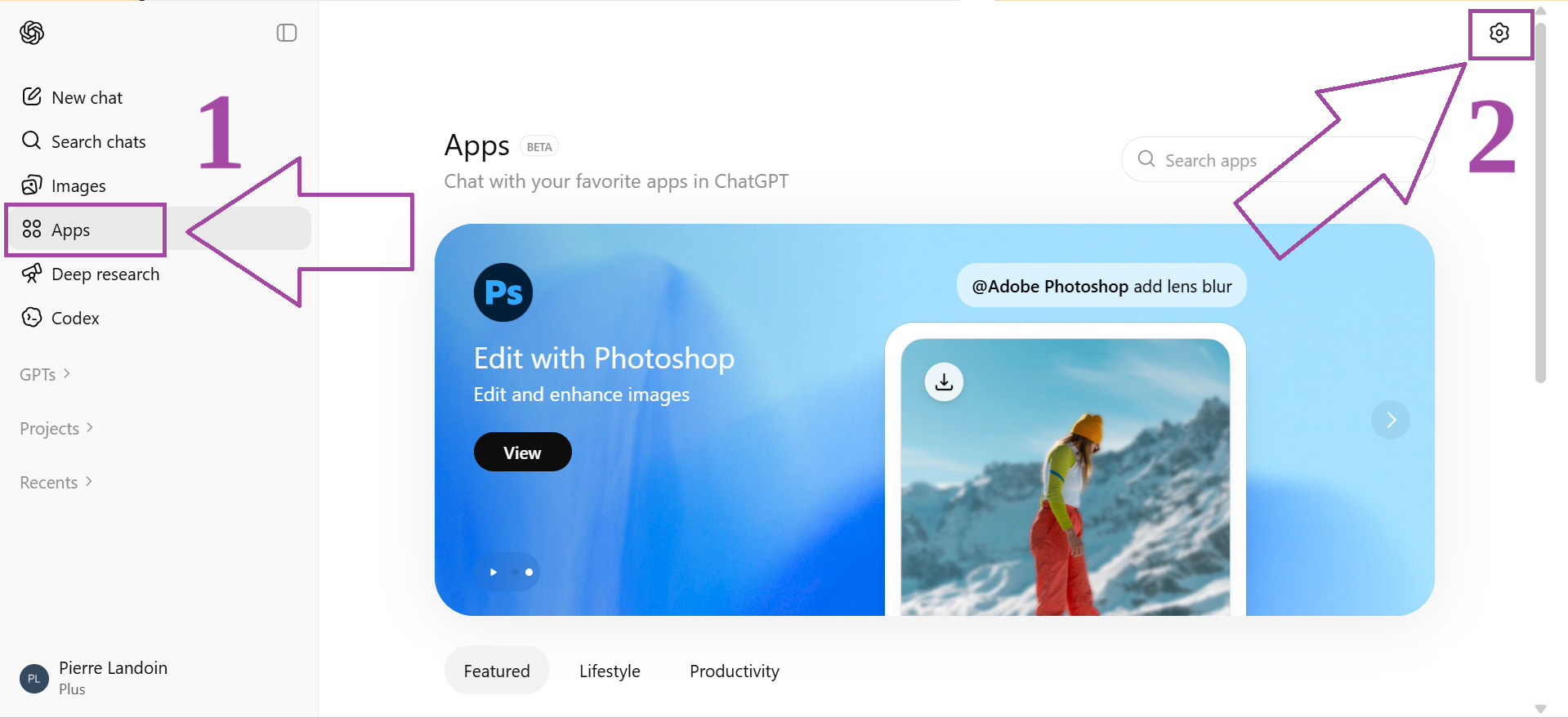
Sign in to your ChatGPT account. Click “Apps” in the vertical menu on the right. Then, click the gear icon in the top left-hand corner :
Then click “Advanced settings”:

Activate "Developer mode":
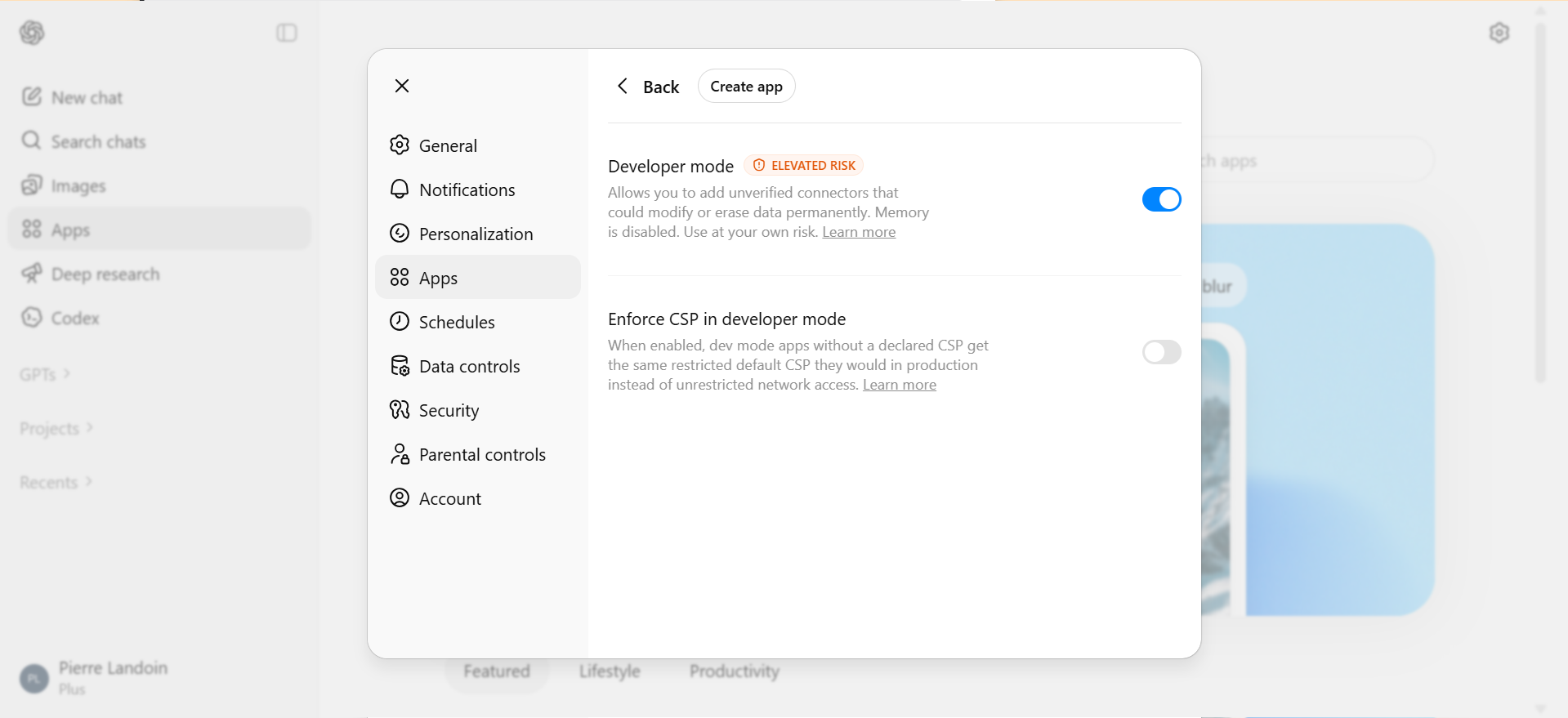
Then, click "Create app".
Give your connector a specific name, such as “Icypeas MCP” (rather than just “Icypeas”). Also, you must enter the server URL, which is: https://mcp.icypeas.com/mcp
Leave "Authentication" on "OAuth" (the default authentication method).
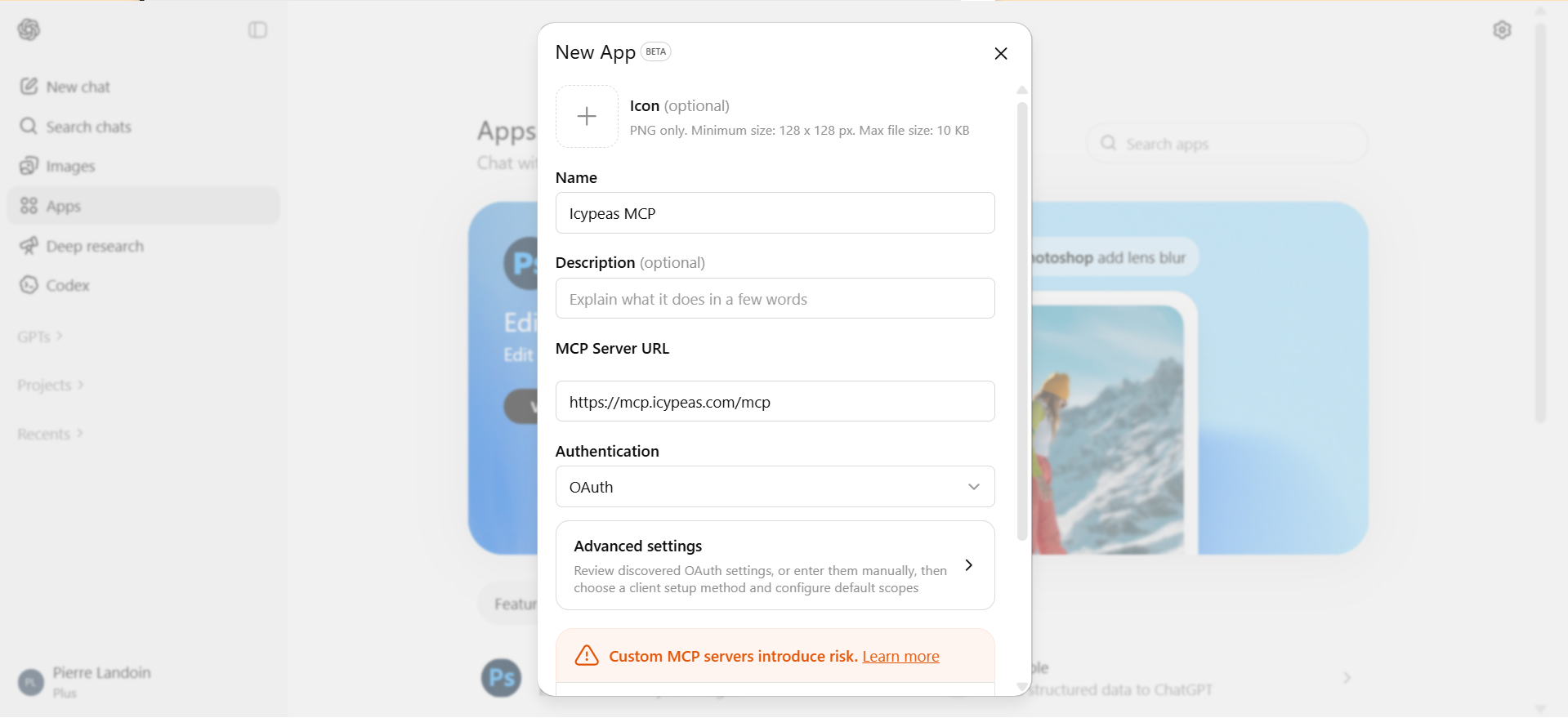
Click "Create".
You’re redirected to a page where you must enter your Icypeas API key:

To get your Icypeas API key, sign in to your Icypeas account, click “API” and copy your key.

Wait for 1 second or 2, and that's it! You've connected your ChatGPT account to the Icypeas MCP server:

Then, test your new integration to the Icypeas MCP by prompting something like this:
Using the Icypeas MCP, find 10 software companies in Berlin, then search for their CEOs, and find their emails.
Don't forget to click the "+" icon and to select the Icypeas MCP as below (to make sure ChatGPT loads the tool):

Tips for Advanced Users
- Force ChatGPT to see all tools: By default, ChatGPT only 'discovers' the first 5 features (or 'tools' in MCP jargon) when it connects to an MCP server. This means it might miss some of Icypeas's capabilities. If ChatGPT seems unaware of a specific feature, explicitly ask it to review all 21 available tools so it has the full context.
- Watch your credit usage: Always test your pipeline on a small data sample and check your credit usage before scaling up. Occasionally, ChatGPT might overcomplicate a workflow by adding unnecessary steps, so a test run ensures you don't waste your Icypeas credits.
- Combine MCPs for end-to-end pipelines: Connect multiple tools—like HubSpot and Instantly—so ChatGPT can orchestrate your entire workflow. You can automate the full process, from lead sourcing and enrichment straight through to your sequencer.
FAQ
Can I see how many credits have been consumed by ChatGPT?
To see how many Icypeas credits ChatGPT consumed, ask ChatGPT to fetch your credit balance before and after the task. The delta gives you the amount of credits consumed during the task.
What kind of tasks can I ask ChatGPT to do once connected to Icypeas?
Once connected, you can prompt ChatGPT to perform tasks such as: "Find the contact email for the CEO of [Company Name]," "Verify this list of email addresses in my CSV," or "Write a Python script that uses the Icypeas MCP to enrich my leads database."
Do I need a paid Icypeas account to use the MCP integration?
You will need an active Icypeas API key to authenticate the MCP server. While Icypeas offers a free trial with 50 free credits, you will eventually need a plan for higher-volume use.
Is it secure to give ChatGPT access to my Icypeas API key?
Yes. The Model Context Protocol (MCP) is designed with security in mind. ChatGPT runs in the cloud on OpenAI secured servers.


























































































.png)


.webp)