.avif)
San Jacinto Email: Find and Verify Addresses for 2026


.avif)
You search for a San Jacinto email, find one pattern on a contact site, build a list, and only then notice the person works at the wrong institution. That mistake is common. “San Jacinto” doesn't point to one organization, one domain, or one mailbox system.
The practical job isn't finding an email. It's identifying the right San Jacinto entity, matching the right domain, and only then resolving a usable address. That's where most junior prospectors lose time, and where list quality starts to drift.
Table of Contents
- Why Finding a San Jacinto Email Is Tricky
- Why the name causes lookup errors
- San Jacinto entity quick reference
- Can I email a San Jacinto student for marketing outreach
- What if a San Jacinto email follows the right pattern but still bounces
- Should I use generic inboxes like admissions or info
Why Finding a San Jacinto Email Is Tricky
The phrase San Jacinto email looks simple until you try to operationalize it. In practice, you're solving three separate problems at once: which organization you mean, which domain that organization uses, and whether the specific mailbox is valid for outreach.
Many guides collapse that into a single pattern. That's the wrong workflow. If you start with pattern guessing before entity confirmation, you'll often build addresses for the wrong school or the wrong user type.
A second problem is role confusion. At San Jacinto College, student and employee email systems are separate address spaces, not minor variations of one universal format. That means a mailbox that looks institutional can still be useless for B2B outreach if it belongs to a student account or a role-based inbox instead of an employee.
Practical rule: Treat “San Jacinto” as an ambiguous search term until you've confirmed the exact institution and the intended contact's role.
In these situations, experienced prospectors slow down on purpose. They don't rush into enrichment with a partial name match. They confirm the legal entity, geography, and domain family first. That extra minute saves cleanup later in the CRM.
A clean lookup usually follows this order:
- Pin down the entity. College, district, county office, or a different school with “San Jacinto” in the name.
- Match the domain. Don't assume one domain covers staff, students, and departments.
- Resolve and verify the person. Pattern logic helps, but verification decides whether the address belongs in a sequence.
If you work that way, you avoid the two biggest causes of wasted outreach: false positives from the wrong organization and syntactically correct emails that shouldn't be contacted.
Identify the Correct San Jacinto Entity First
Search results for San Jacinto email are messy because the term points to multiple institutions. One summary of the situation notes that users commonly run into San Jacinto College, San Jacinto Unified School District, and Mt. San Jacinto College, and that most content assumes the user already knows which one they want. That's exactly why disambiguation has to happen first, not after list building. See the discussion of this issue in ScaleList's San Jacinto email overview.
Why the name causes lookup errors
The mistake usually starts with a partial brief from sales or recruiting. Someone says “get me contacts at San Jacinto,” but they don't specify Texas or California, college or district, staff or students. A junior rep then searches for a pattern, finds one quickly, and builds a list against the wrong domain.
That's not a research failure. It's an OSINT discipline failure. Before you try to enrich anything, confirm what the target organization is. If your team needs a lightweight process for that kind of pre-enrichment research, this primer on open-source intelligence is a useful baseline.
San Jacinto entity quick reference
| Entity Name | Location | Primary Staff Domain |
|---|---|---|
| San Jacinto College | Pasadena, Texas | @sjcd.edu |
| San Jacinto Unified School District | California | Confirm on the district's official contact pages before building |
| Mt. San Jacinto College | California | Confirm on the college's official site before building |
| San Jacinto County offices | Texas | Confirm by department or county site before building |
A few practical checks make this faster:
- Check geography first: If the contact sits in Pasadena, Texas, you're likely dealing with San Jacinto College, not a California institution.
- Check the person's role: Faculty, procurement, HR, and administration usually indicate an employee lookup. Enrollment, student life, and advising often pull you toward student-facing systems or general inboxes.
- Check the source context: A directory page, staff profile, or official support page usually tells you more than a scraped mention on a generic people site.
If you haven't identified the exact San Jacinto entity, you're not doing email discovery yet. You're still doing target selection.
That distinction matters. Teams that skip it don't just create bounces. They contact the wrong institution entirely.
Decode Common Email Patterns and Domains
Once you've confirmed you mean San Jacinto College, the next job is separating employee mail from student mail. That split is operational, not cosmetic.
Independent contact-data reporting says the staff format at San Jacinto College is First.Last@sjcd.edu and that this pattern is used 95% of the time, while student addresses follow a different structure under @stu.sanjac.edu. The student format is listed as (LastName).(FirstInitial)(Last6ofGID#)@stu.sanjac.edu in LeadIQ's San Jacinto College email format page.
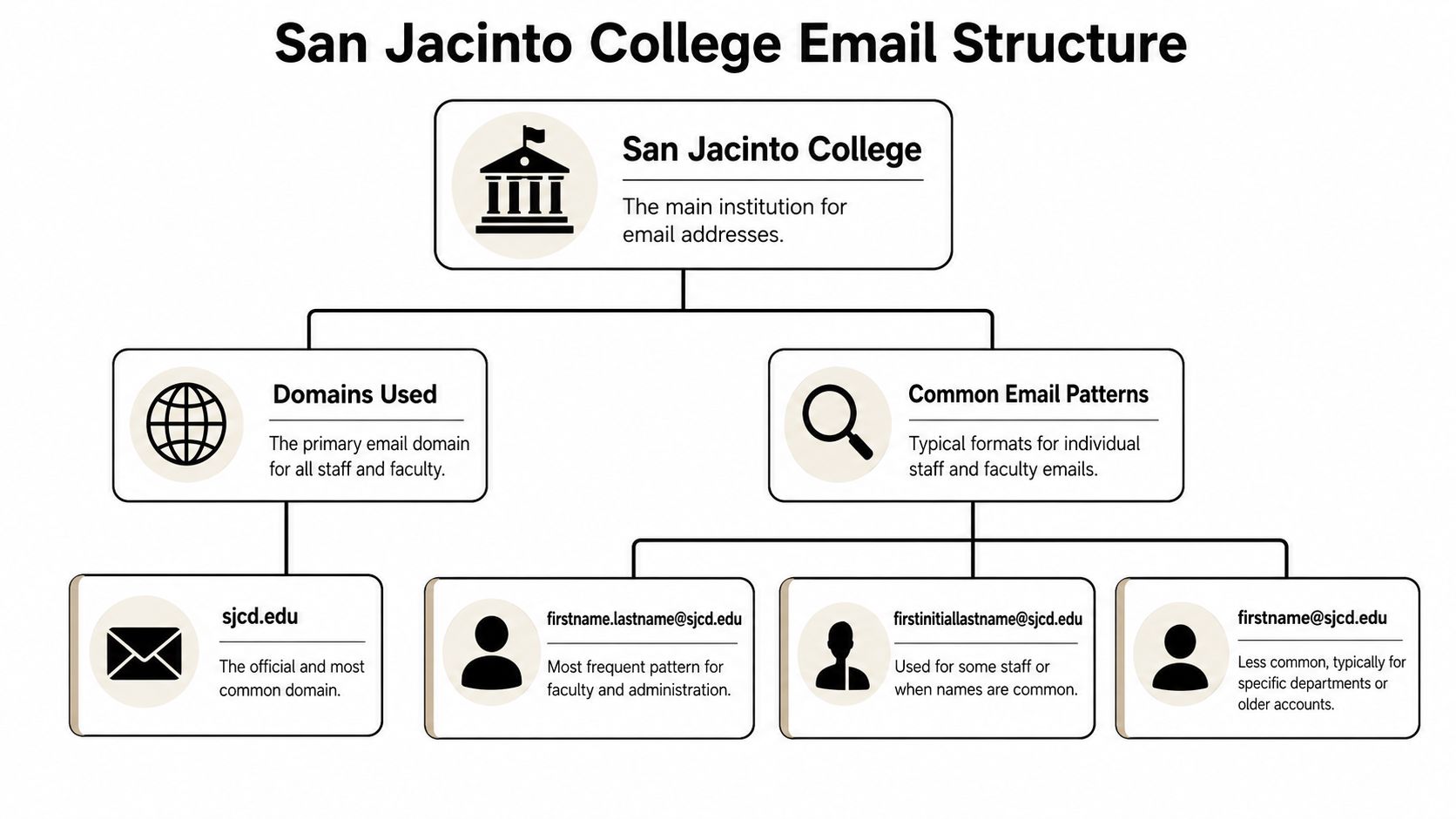
Staff and student addresses are not interchangeable
For B2B prospecting, @sjcd.edu is the professional domain to inspect for employees. The student domain, @stu.sanjac.edu, follows different identity logic and shouldn't be treated as a fallback for staff discovery.
That's where pattern-based guessing goes wrong. A rep sees “San Jac” and assumes one institution equals one email system. But the college's student environment uses a structurally different mailbox format tied to student identity data and school account provisioning. If you apply student syntax to employee outreach, you create invalid targets that only look plausible in a spreadsheet.
Use this simple decision rule:
- Employee, faculty, administration, procurement, HR: start with @sjcd.edu
- Enrolled student: expect @stu.sanjac.edu
- Departmental function: look for a published inbox instead of forcing a personal pattern
How to use the pattern without creating bad data
Pattern knowledge helps most when you already have a strong person match. It works poorly when the identity itself is fuzzy.
A clean workflow looks like this:
- Confirm the person is attached to San Jacinto College, not another San Jacinto entity.
- Confirm they are staff or faculty, not a student.
- Build the likely professional format using First.Last@sjcd.edu.
- Verify before importing into a sequence.
What doesn't work is filling a list with every possible permutation. That inflates duplicates, creates false confidence, and makes later verification noisier than it needs to be.
Build from a confirmed person and a confirmed domain. Don't build from a name string and hope the institution sorts itself out later.
Automate Your Search with an Email Finder
Manual guessing is fine for one contact. It breaks down fast when you need a team, a department, or multiple campuses. At that point, you need a finder workflow that starts with a person and a domain, not a pile of guessed permutations.
San Jacinto College is large enough that repeated contact patterns matter in practice. One school summary lists the college as founded in 1961, located on 540 acres, with a 24:1 student/faculty ratio, and notes that free student email accounts are available. The same source is paired in the verified data with reporting that the institution serves approximately 31,110 students, which is why manual lookup gets inefficient quickly. See the institutional summary at Texas Career Check's San Jacinto College profile.
When manual guessing stops working
Large institutions create two opposing conditions. They usually have enough internal consistency for enrichment tools to work well, but they also have enough users, departments, and mailbox types that sloppy assumptions multiply errors.
That's why experienced teams automate the middle of the process. They still do the entity check manually. But once they know the contact belongs to San Jacinto College and the professional domain should be @sjcd.edu, they use a finder to resolve the most likely address.
If you're building your own collection workflows around directories or public web sources, Scrapeway's web scraping API guide is a practical reference for understanding how data extraction pipelines fit into prospecting systems.
A practical finder workflow
The clean version is simple:
- Start with a confirmed person: Full name and current institutional affiliation.
- Use the correct domain: For staff at San Jacinto College, that means @sjcd.edu, not the student domain.
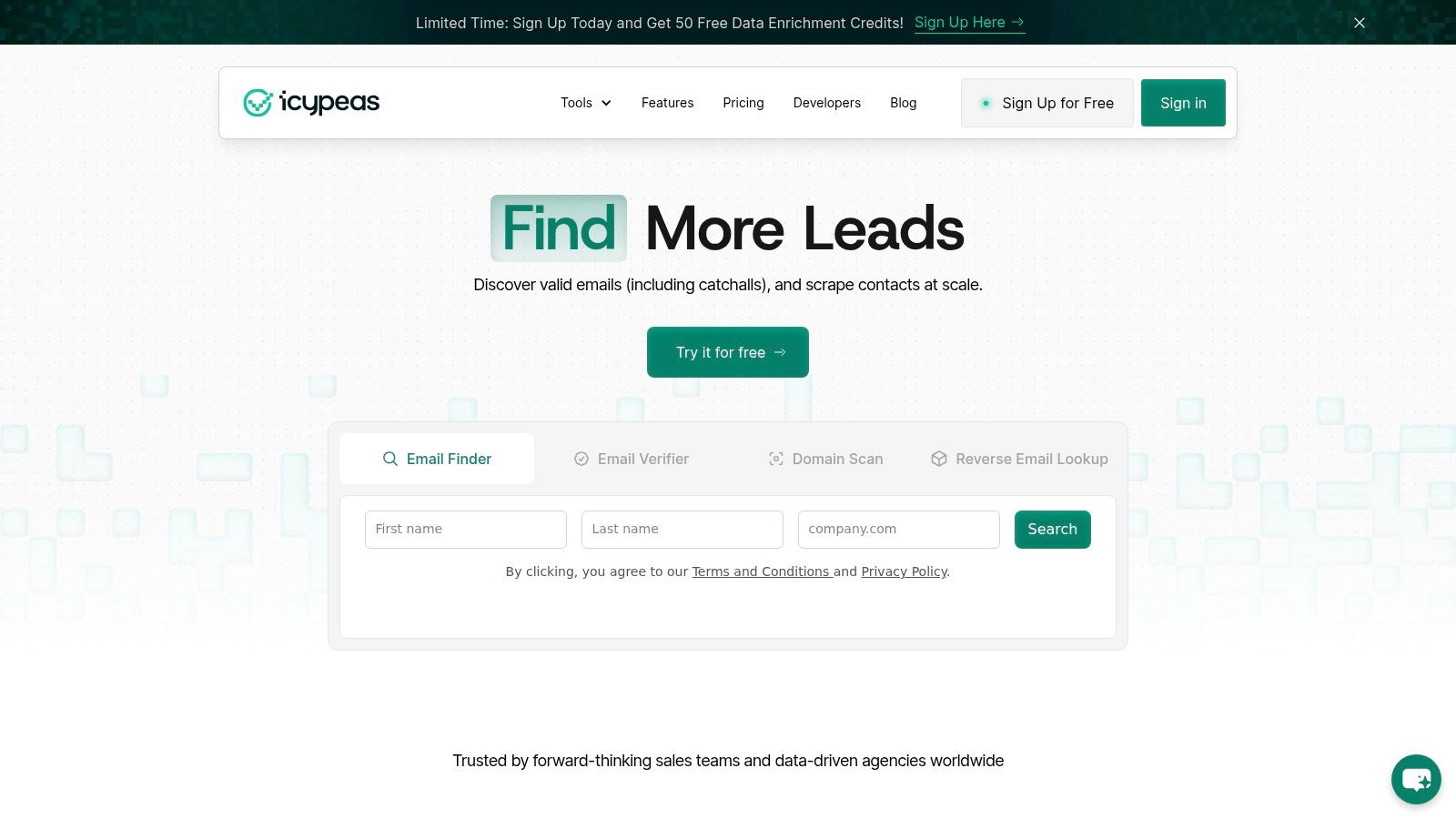
- Run the lookup through a finder: A tool such as Icypeas's guide to finding business email addresses shows the standard workflow of resolving work emails from a person plus company or domain.
- Export only what you can defend: If the match is ambiguous, hold it for review instead of forcing it into outreach.
A good finder removes repetition. It doesn't remove judgment. You still need to reject role inboxes when you need a named contact, and you still need to confirm whether the result belongs to a staff member you can appropriately contact.
For teams that prefer a visual walkthrough before they operationalize the process, this demo is useful:
Verify Every Email Address Before Outreach
A correctly formatted San Jacinto email can still be a bad outbound target. The pattern may be right while the mailbox is inactive, restricted, role-based, or not appropriate for the campaign.
That matters even more when the institution separates student and employee accounts. San Jacinto's IT guidance distinguishes those environments and notes that student email is the official channel while a student is enrolled, which signals a different account lifecycle than staff mail. That distinction is discussed in San Jacinto IT's employee email guidance.
A correct pattern can still be a bad address
Junior teams often confuse email discovery with email readiness. They find an address that looks valid, then send immediately. That shortcut creates bounce risk and reputational drag for the domain you're sending from.
Verification should answer questions like these:
- Is the mailbox deliverable: Not just well-formed, but likely able to receive mail.
- Is it the right type of inbox: Personal staff address, general office inbox, or student account.
- Is the account still current: Especially important when institutional accounts are tied to enrollment or role changes.
Verification protects more than one campaign. It protects the sending domain that all future campaigns depend on.
Some teams also forget that role-based inboxes have different response patterns. An admissions@ or info@ address may be valid and still be the wrong path for B2B outreach if you need a decision-maker.
What to verify before you send
Before a San Jacinto email enters a sequence, check these items in order:
- Entity match: The person belongs to the right San Jacinto organization.
- Role match: The address belongs to staff or faculty when your campaign is professional outreach.
- Mailbox quality: The address passes verification rather than just pattern logic.
- Inbox suitability: Named mailbox if you need ownership, official inbox if your message is administrative or routing-focused.
If your team needs a deeper overview of how verification fits into outbound hygiene, these essential email deliverability tips are worth reviewing alongside a dedicated explainer on email verification services.
The bottom line is simple. Discovery gives you a candidate. Verification decides whether that candidate belongs in production outreach.
Outreach Tips and Compliance Considerations
Once you have a verified staff address, the next risk isn't technical. It's message quality and compliance judgment.
San Jacinto College was founded in 1961 and has a reported 24:1 student/faculty ratio, with free student email accounts available according to the school summary referenced earlier. That means there's a meaningful distinction between a broad academic user base and the professional staff population you may be trying to reach. For outreach purposes, that distinction should shape both targeting and tone.
How to contact staff professionally
Keep the email narrow and role-relevant.
- Reference the person's function: Procurement, workforce development, IT, or academic administration all need different angles.
- Use the institution name correctly: If your copy says the wrong San Jacinto, the message is dead on arrival.
- Keep asks small: A short question or a relevant resource works better than a pitch dump.
Where teams get into trouble
The most common mistake is treating student-accessible institutional addresses as fair game for marketing. That's not a professional standard. If the contact is a student, a student-facing mailbox, or a general campus inbox with unclear ownership, pause and reassess the use case.
A few safe rules help:
- Don't blur staff and student targeting: They are different audiences with different expectations.
- Don't send bulk outreach to role inboxes unless the message fits that function: An admissions or registrar inbox isn't a substitute for a department lead.
- Respect privacy law and internal policy: Your process should align with GDPR, CCPA, and your company's own suppression and consent rules.
Good prospecting isn't just about finding an address. It's about knowing when not to use one.
Frequently Asked Questions About San Jacinto Emails
Can I email a San Jacinto student for marketing outreach
Treat student addresses as a separate category and use extra caution. If your campaign is B2B, staff and faculty are the appropriate starting point. Student mailboxes usually have different lifecycle, context, and compliance implications.
What if a San Jacinto email follows the right pattern but still bounces
Don't keep retrying variants. Recheck the entity, confirm the person's current role, and run verification again. A correct-looking pattern can still point to an inactive or unsuitable mailbox.
Should I use generic inboxes like admissions or info
Only when the message is meant for that function. Generic inboxes are useful for routing, not always for prospecting. If you need accountability, find a named staff contact instead.
If you need to turn ambiguous institutional contact data into usable outreach records, Icypeas can help with the practical steps: finding a professional email from a name and domain, verifying whether it's safe to use, and enriching the record before it reaches your CRM or sequence.

























































































.png)



.webp)