.avif)
Create an API Key in Icypeas: Secure B2B Workflows


.avif)
You're usually trying to create an API key for a reason, not for fun. A sales workflow needs fresh contact data before a rep calls. A signup flow needs enrichment before a lead reaches the CRM. A product team wants verified work emails without forcing someone to copy and paste from a dashboard all day.
That's where a lot of API key guides fail. They show the button to click, but they skip the part that matters after generation: how to store the key, how to limit what it can do, when to rotate it, and what to do the minute you think it leaked. For B2B data workflows, that lifecycle matters as much as the first request.
Table of Contents
- Start with the key name, not the button
- Generate the key and store it immediately
- Choose narrow permissions first
- Watch for one important edge case
- Store secrets in systems designed for secrets
- Scope each key to one job
- Rotate before you need to
- Monitor behavior, not just settings
- Recommended API Key Scopes by Use Case
- Practical permission decisions
- What least privilege looks like in real life
What an Icypeas API Key Unlocks for Your Team
An API key is the credential that lets your application talk to the platform without a human logging into the dashboard every time. In practice, it turns one-off enrichment tasks into repeatable workflows.
For a B2B team, that usually means programmatic access to tools like Email Finder, Email Verifier, reverse lookup, and the larger lead data layer behind those services. If you're new to enrichment APIs, this data API overview from Icypeas is a useful starting point for understanding how the pieces fit together.
What changes once you use the API
Manual work is fine for a handful of records. It breaks fast when the volume grows or when enrichment needs to happen inside another system.
Common examples include:
- Inbound lead enrichment: Add company and contact context the moment a form is submitted.
- CRM cleanup: Verify or enrich stale records before an outbound campaign starts.
- Internal tooling: Let rev ops or ops teams trigger enrichment jobs from a private admin panel.
- Product workflows: Resolve a professional email into a fuller profile inside your application.
The key point is simple. The API key becomes the trust boundary between your systems and the data service. That's why it needs to be treated like a production credential, not like a random token you paste into a script and forget.
Practical rule: If a workflow touches customer, prospect, or account data, the key used for that workflow should be named, scoped, and monitored like any other production secret.
What it should not be used for
An API key is best suited for server-side workflows you control. It isn't something you expose in a browser, mobile app, or public frontend bundle. Once it leaves a trusted environment, you've lost control over who can replay it and where.
It also shouldn't be shared between every environment and every team. Using one catch-all key for staging, production, experiments, and batch jobs creates avoidable risk. If a single key powers everything, every integration becomes harder to audit and every incident becomes harder to contain.
That's the practical frame for the rest of this guide. Creating an API key is easy. Creating one that supports secure B2B workflows over time takes a bit more discipline.
Creating Your First API Key in the Dashboard
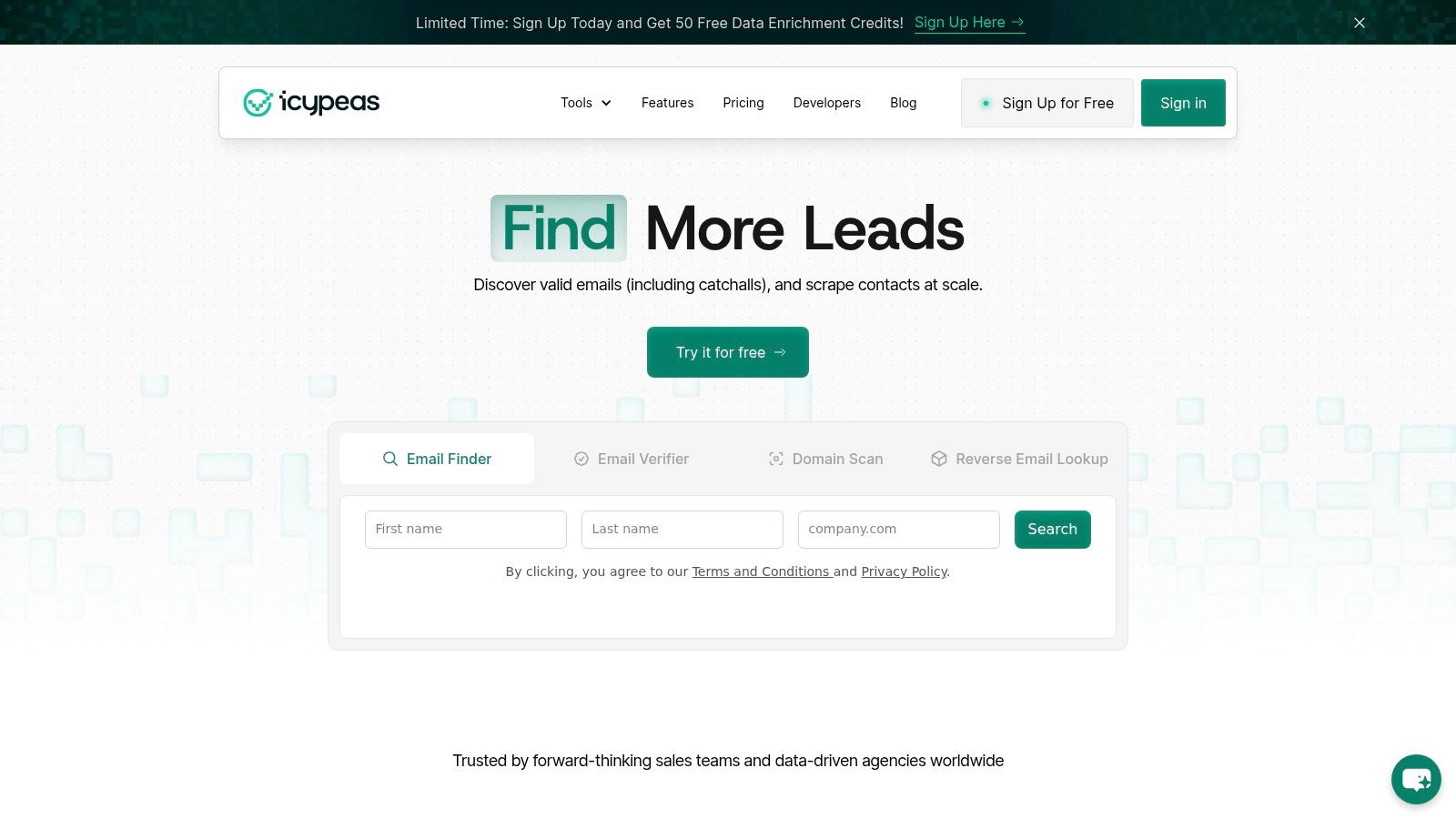
The dashboard flow is usually straightforward. The part that deserves attention is naming, scope selection, and the moment the secret is revealed.
Start with the key name, not the button
Before you click create, decide what this key is for. That sounds minor, but it saves a lot of cleanup later.
Good names usually include:
- Environment: production, staging, dev
- System: CRM sync, signup enrichment, batch verifier
- Owner or team: revops, backend, growth
A key named prod_crm_sync_revops is better than my-api-key. Six months from now, that difference matters when you're rotating credentials or auditing suspicious usage.
Generate the key and store it immediately
Modern platforms increasingly show a secret only once. That's the right default. A key that can be retrieved repeatedly from a dashboard creates more opportunities for copying, screenshots, chat pastes, and accidental leaks.
The security model behind that approach is well established. The most critical step in creating an API key is generating it with a cryptographically secure pseudo-random number generator, such as crypto.randomBytes(32) in Node.js, then encoding it with Base64. It should also be displayed only once to reduce accidental exposure, as noted in GitGuardian's guidance on secrets and API management.
When the dashboard shows the key, assume that's your only clean chance to handle it correctly.
Copy it directly into a trusted location. That usually means a secrets manager, a vault, or an environment variable stored through your deployment platform. Don't paste it into a shared doc. Don't drop it in Slack. Don't save it in a local note called “temp”.
Choose narrow permissions first
If the dashboard lets you pick scopes during creation, start smaller than you think you need. A key used only for email verification shouldn't also be able to perform broader enrichment actions just because it was convenient at setup time.
A practical creation flow looks like this:
- Create one key per workload: Separate production API traffic from testing and one-off scripts.
- Set the minimum scope: Only enable the endpoints or actions the workload needs.
- Copy once into secure storage: Move it into your deployment or secrets system immediately.
- Document the owner: Someone should know why the key exists and when it should be rotated.
Watch for one important edge case
Sometimes a team thinks key creation is broken when the underlying issue is that the provider is retiring API key auth for that product. Microsoft has publicly noted a retirement path for Application Insights API keys scheduled for March 31, 2026, which can make “create key” attempts fail even when permissions look correct, according to Microsoft's discussion of the retirement behavior.
That matters because the industry is moving toward flows where secrets are less retrievable and more tightly controlled. If a platform pushes you toward OAuth or another non-retrievable credential model, that's often a security decision, not a broken UI.
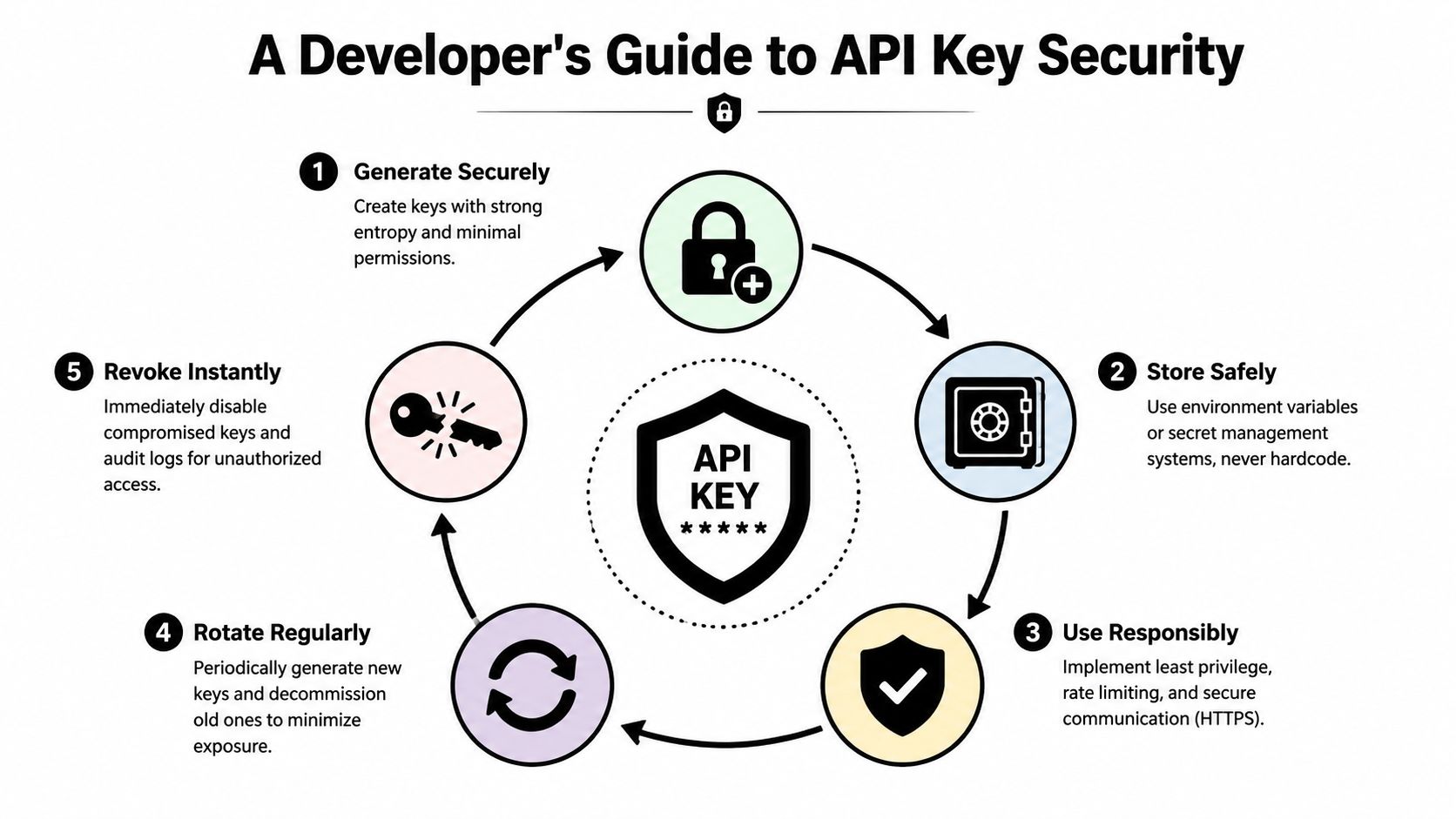
A Developer's Guide to API Key Security
A leaked key usually shows up first as a billing spike, a burst of unexpected traffic, or a support thread asking why production data was queried at 2 a.m. By that point, key creation is long over. The actual work is controlling the full lifecycle from storage and permissions to rotation and revocation.
Store secrets in systems designed for secrets
API keys should never live in source code, shared docs, chat threads, or client-side code. Once a key is copied into too many places, you lose control over who can use it and how quickly you can contain an exposure.
Use environment variables for smaller server-side deployments. Use a cloud secret manager or vault when you need access controls, audit logs, rotation workflows, and tighter separation between teams. The trade-off is operational overhead. A vault-backed setup takes more work than a .env file, but it also gives you a much clearer answer during an incident.
Manual sharing is usually where teams create risk without noticing. If a developer has to paste a key into three tools and send it to another person to finish setup, the process is already too loose.
Scope each key to one job
A production key for batch enrichment should not also be able to support an internal admin script or a staging experiment. Separate keys by workload, environment, and owner. That way, if one credential is exposed, you are containing one integration instead of your entire account.
This is also where teams make the wrong trade-off. Broad access feels faster during setup, but it increases the blast radius of every mistake. Narrow scopes create more keys to manage, yet they make revocation safer and incident response much simpler.
A practical inventory usually follows these rules:
- One key per service or workflow: keep web app traffic, scheduled jobs, and internal tools separate
- One key per environment: production, staging, and development should never share credentials
- One owner per key: someone should be responsible for rotation and removal
- One clear purpose in the name: “prod-crm-sync” is easier to review than “default-key”
For teams reviewing vendors or aligning internal controls, the Icypeas security practices for protecting B2B data provide a useful baseline for what strong secret handling should look like.
Rotate before you need to
Rotation should be a routine maintenance task, not an emergency response plan. Keys age badly. People change roles, temporary scripts become permanent, logs retain more than expected, and old credentials survive longer than anyone intended.
The safest pattern is overlapping rotation. Create a new key, deploy it, confirm traffic is healthy, and then revoke the old one. I recommend designing integrations so they can tolerate two valid keys for a short period. That one decision removes a lot of release-night risk.
Dormant keys deserve the same attention. If a key is no longer tied to a live service, delete it. Unused credentials are easy to forget and hard to defend.
Monitor behavior, not just settings
A well-scoped key can still be abused. Good security controls include detection, not just storage policy.
Watch for behavior that does not match the workload: sudden request spikes, calls from an unexpected environment, use outside normal hours, or access patterns that do not fit the service tied to that key. Those signals matter because API key incidents rarely start with a clear error message. They start with something slightly off.
The teams that handle this well do one thing consistently. They treat every API key as a credential that will eventually need to be rotated, audited, or revoked, and they build the integration accordingly from day one.
Choosing the Right Permissions for Common Use Cases
Permission design usually goes wrong in one of two ways. Teams either give every key full access because it's faster, or they create scopes so restrictive that the integration fails and someone broadens them in frustration.
The better approach is mapping each workload to exactly what it needs. That's especially important because 78% of enterprise security teams now mandate that API keys must never be deployed in client-side environments like browsers or mobile apps, and instead require storage in environment variables or secret management systems, as noted in the verified data above.
Recommended API Key Scopes by Use Case
| Use Case | Required Scopes | Recommended Environment |
|---|---|---|
| Real-time lead enrichment from server-side form handling | Read access to the specific enrichment endpoints needed for the form workflow | Backend service or serverless function with environment variable storage |
| Bulk list verification before campaign launch | Verification-only scope for batch processing endpoints | Internal backend job runner or private ops service |
| CRM data sync | Read and enrichment scopes limited to sync logic | Private integration service or middleware |
| Product-based profile lookup | Only the lookup endpoints required by the product feature | Server-side application layer |
| One-off internal testing | Narrow dev or sandbox scope with isolated credentials | Local development through a secure .env workflow or vault injection |
Practical permission decisions
A public-facing signup flow should have less power than an internal batch job. The signup workflow usually needs a very small set of enrichment actions and should run from your server, not the browser. The batch job may need broader access, but it still shouldn't inherit unrelated capabilities.
Here's a good mental model:
- Frontend never holds the actual key: The browser talks to your backend. Your backend talks to the API.
- Batch jobs get isolated credentials: Don't reuse your production app key for a weekend cleanup script.
- Testing uses separate secrets: Development mistakes happen. Keep them away from live data paths.
What least privilege looks like in real life
If a workflow only verifies emails, give it verification rights. If another service only resolves professional profiles from existing identifiers, give it only that capability. Don't create a universal key just because the dashboard makes it easy.
The right permission model should feel slightly inconvenient at first. That friction is often what prevents one leaked key from turning into a larger incident.
This is also where naming helps. When you can look at a key and immediately know its environment, owner, and purpose, permission reviews become much easier. Without that context, teams keep broad access around because nobody wants to break a mystery integration.
Using Your API Key with CLI and SDK Examples
Once the key is stored securely, the first request should be boring. If it feels fragile, the setup probably needs work.

The examples below use a common pattern: keep the secret in an environment variable, then pass it in the Authorization header as a bearer token. Exact endpoint paths can vary by API product, so treat the structure as the main takeaway.
Testing the request from your terminal
A CLI request is the fastest way to confirm three things at once: the key is valid, the endpoint is right, and your headers are formatted correctly.
export ICYPEAS_API_KEY="your_api_key_here"curl -X POST "https://app.icypeas.com/api/email-verifier" \-H "Content-Type: application/json" \-H "Authorization: Bearer $ICYPEAS_API_KEY" \-d '{"email": "name@company.com"}'A few habits make this safer:
- Use environment variables: Keep the key out of shell history when possible.
- Start with a narrow endpoint: Test against the exact capability your key should have.
- Check response codes first: They'll usually tell you whether the problem is auth, scope, or payload shape.
If you want a more workflow-oriented example set, this guide to using the Icypeas API with vibe coding shows a practical implementation path.
Using environment variables in application code
In application code, the pattern stays the same. Load the secret from the environment, never inline it into source.
Python example:
import osimport requestsapi_key = os.environ["ICYPEAS_API_KEY"]url = "https://app.icypeas.com/api/email-verifier"payload = {"email": "name@company.com"}headers = {"Content-Type": "application/json","Authorization": f"Bearer {api_key}"}response = requests.post(url, json=payload, headers=headers)print(response.status_code)print(response.text)Node.js example:
const apiKey = process.env.ICYPEAS_API_KEY;async function verifyEmail() {const response = await fetch("https://app.icypeas.com/api/email-verifier", {method: "POST",headers: {"Content-Type": "application/json","Authorization": `Bearer ${apiKey}`},body: JSON.stringify({email: "name@company.com"})});const data = await response.json();console.log(response.status, data);}verifyEmail();The important part isn't the library choice. It's keeping the key outside the codebase and making sure the service that holds it is the one meant to perform the request.
A short walkthrough can help if you're wiring this up for the first time:
If an SDK is available, it's often worth using for retries, auth handling, and cleaner request construction. For quick validation, though, curl and a minimal script are still the fastest path.
Troubleshooting Common Issues and Revoking a Key
A failed request usually points to one of a small set of problems. The key is invalid, the header is malformed, the request is hitting the wrong environment, or the key does not have the permission that endpoint requires.
Fast checks for common errors
A 401 Unauthorized response usually means authentication failed before the request reached business logic. Start with the actual secret value. Teams often paste a truncated key, load the wrong environment variable after a deploy, or send the right key in the wrong header format.
A 403 Forbidden response is different. The key is being recognized, but it is not allowed to perform that action. In practice, this often happens after a scope change, a key rotation that introduced narrower permissions, or a service account being reused for a new workflow without updating access rules.
Use this checklist to narrow it down fast:
- Confirm the environment variable name: local, staging, and production names drift more often than teams expect.
- Verify the target environment: a staging key against a production endpoint creates errors that look like auth bugs.
- Review assigned scopes: check for recent permission edits or a replacement key with reduced access.
- Test with a minimal request: remove payload variables and confirm authentication works on its own.
If a request starts failing right after deployment, inspect secret injection first. That check is faster than tracing application code that never had a chance to run.
What to do if the key leaked
Treat any exposed key as compromised. Public repos, CI logs, screenshots, support tickets, and copied terminal output are all enough to justify rotation.
The response should be immediate and controlled:
- Revoke the exposed key in the dashboard.
- Create a replacement key with the same access only if that access is still required. Narrow it if possible.
- Update the consuming service through your secret manager or deployment environment.
- Review recent usage for calls that do not match expected volume, origin, or endpoint patterns.
- Remove the leaked value from code, logs, shared documents, and any system that may retain history.
Rotation is not just cleanup. It limits how long a leaked credential can be used, which is what protects B2B data in practice. A key with broad permissions and no clear owner creates two problems at once: harder incident response and wider data exposure.
If you are unsure whether exposure occurred, rotate the key anyway. Replacing a credential is usually a small operational task. Leaving a questionable key active can turn a minor mistake into an access incident.
If you're building enrichment, verification, or prospecting workflows and want an API that fits real B2B operations, Icypeas is built for that kind of work. It gives teams a practical way to find, verify, and enrich professional data at scale while keeping the developer experience simple enough for fast implementation and disciplined enough for secure production use.

























































































.png)



.webp)