.avif)
How to Search for Specific Job Titles Within Target Accounts


.avif)
Icypeas offers a gigantic Lead Database of 575M profiles and 56M companies.
In this tutorial, we will explain how to use this Lead Database in order to search for specific roles within a given list of companies.
Step-by-step Tutorial
Sign in to your Icypeas account. Click “Lead Database” in the vertical menu on the left:

First, we need a list of accounts. You either already have this list (obtained from an external source such as Clutch.co, Ocean.io, Discolike.com, Crunchbase.com, Storeleads.app, etc.), or you need to create it. In the second case, go to the "Companies" tab:

Next, combine the search filters to target the companies you're interested in as precisely as possible. Then, click the "Export" button:

Download your account list. It's a CSV file.
Now, go to the “Profiles” tab, and click the “Current company IDs” search filter. This search filter accepts any of the following IDs (that you can retrieve in the account list you previously downloaded):
- Company names (example: “Icypeas”)
- Company websites (example: “icypeas.com” or “https://www.icypeas”)
- Linkedin company page URLs (example: “https://linkedin.com/company/icypeas”)
- Linkedin URN numeric IDs (example: “89667826”)
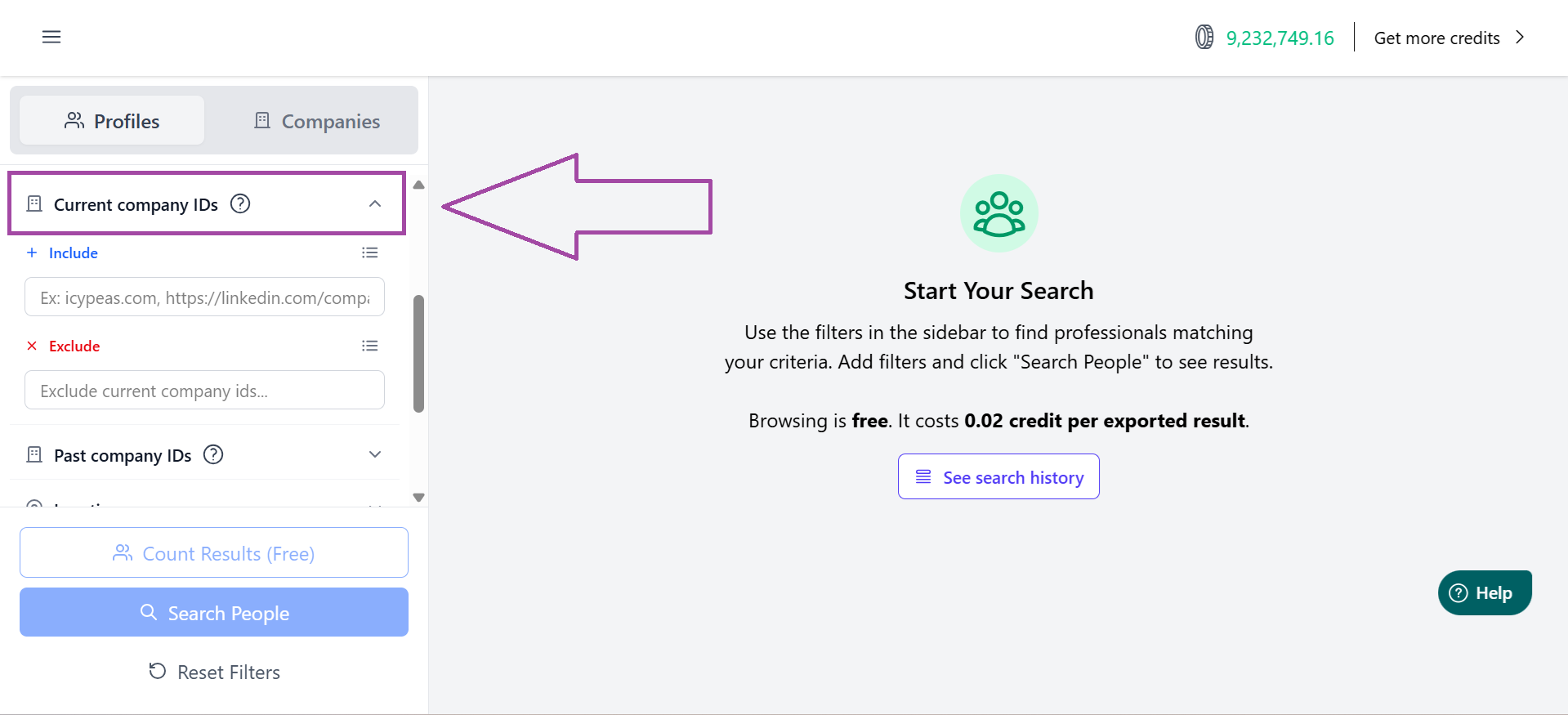
Click the “list” icon to input multiple IDs in bulk:

Copy-paste your list of target accounts:
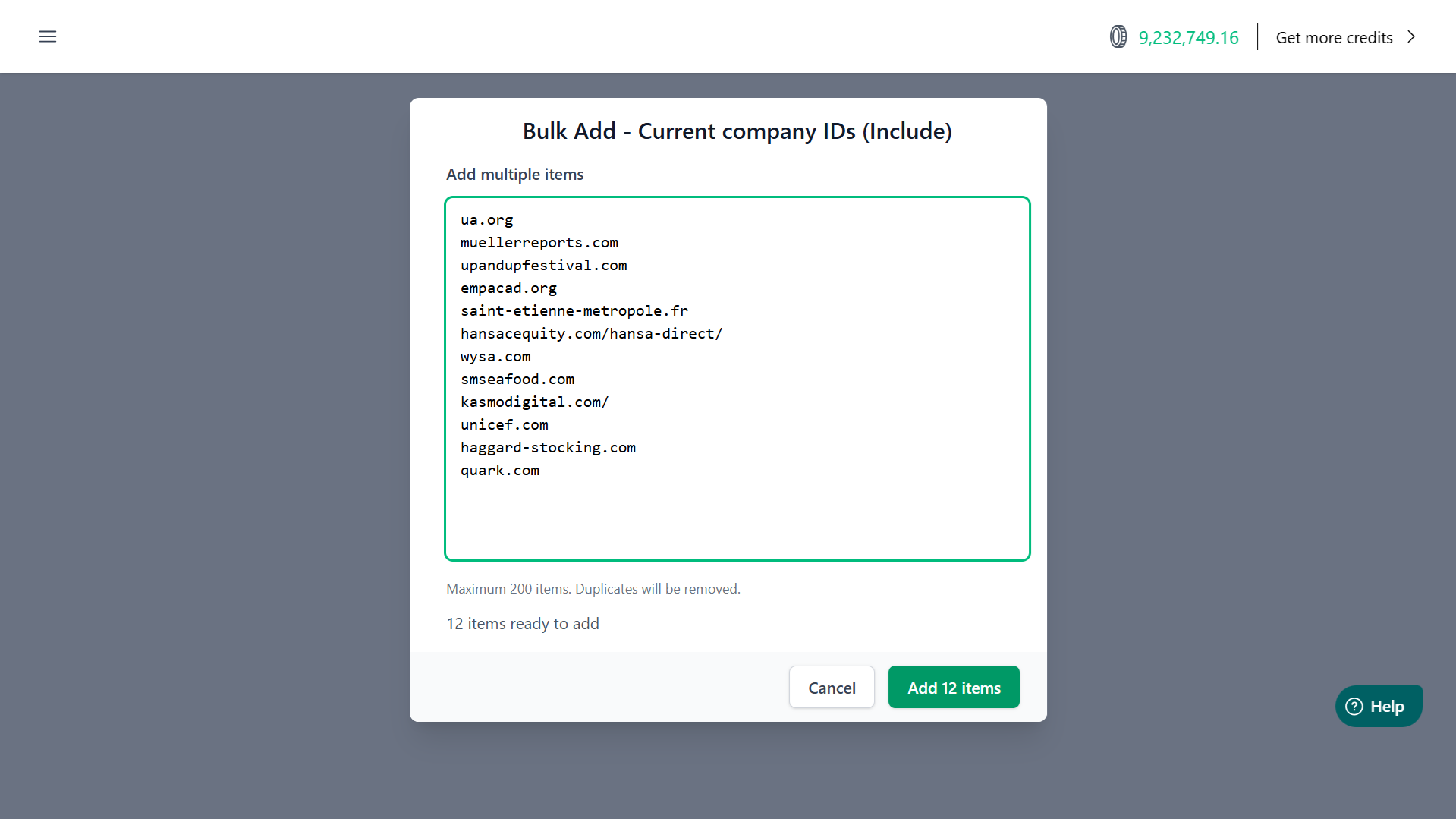
Pro-tip: whenever possible, we recommend using the website or the Linkedin company page URL. Those IDs are more precise than the company name, as the latter is more prone to ambiguity; it can be misspelled on certain profiles or suffer from homonyms (different companies with the same name).
Click “Add XX items” (the green button).
ℹ️ You can add a maximum of 200 items in each search filter. If you work with a list of more than 200 companies, then read the section “What If You Have More Than 200 Companies?” below.
Then, we’ll add another search filter. Click “Current Job Title” and input the roles you’re looking for:

Icypeas search for exact matches. It does not extrapolate from one job title to all the possible variations. If you’re looking for the “CEOs”, you might want to input “owner”, “CEO”, “founder”, and “general manager” in order to retrieve more profiles. You can ask a LLM to give you all the possible variations of a given job title.
Example of a prompt we often use internally here at Icypeas:
///////////////////////////////////////////
Task: Generate a comprehensive list of job title variations for the target role: [INSERT JOB TITLE HERE].
Requirements:
→ Seniority: Include variations from mid-level to C-suite (e.g., Manager, Director, VP, Head of, Chief).
→ Synonyms: Include different ways the department or function is named (e.g., "Demand Gen" vs. "Growth" vs. "Performance Marketing").
→ Acronyms: Include common industry abbreviations (e.g., "CMO," "VPM").
→ Language: Include variations in English, Spanish and French.
→ Gender: Include variations for male and female persons (if any).
→ Format: Provide the final list as a comma-separated string so I can paste it into a search filter.
→ Cleanliness: Exclude any explanatory text in the final list; just the titles.
///////////////////////////////////////////
💡 Good to know: the Exact Match Rule
In the Icypeas Lead Database, the job title filter operates on an exact match rule that functions like a "contains" search.
When you input a specific keyword, the system identifies every profile where that exact string of characters appears anywhere within the job title. It isn't restricted to a single-word match; rather, it pulls all variations that house your keyword.
How it works in practice
If you enter the term "Marketing" into the search filter, Icypeas will return any lead whose title contains that specific word.
Possible matches include:
- Head of Marketing (Keyword at the end)
- Marketing Manager (Keyword at the start)
- Junior Marketing Assistant (Keyword in the middle)
- Marketing & Sales Analyst (Keyword part of a compound title)
Pro-Tip: Broad vs. Narrow Searching
- To go broad: Use a single core noun (e.g., "Sales"). This will capture everything from "Sales Rep" to "VP of Sales."
- To go narrow: Use the full specific title (e.g., "Chief Executive Officer"). Because of the exact match rule, this will exclude people who only have "CEO" in their title.
Once you’re ready, click the “Search People” button to visualize the profiles that match your search criteria.

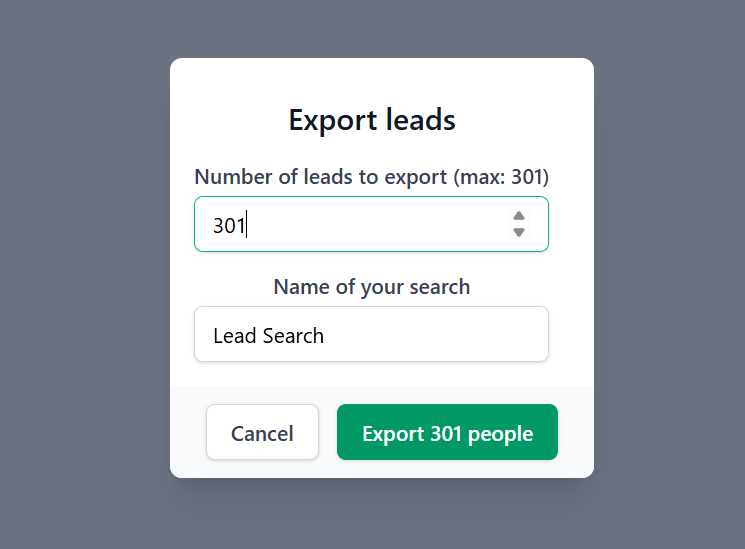
If your list looks good to you, click “Export”.
Specify the number of leads you want to export, and give your export a name:
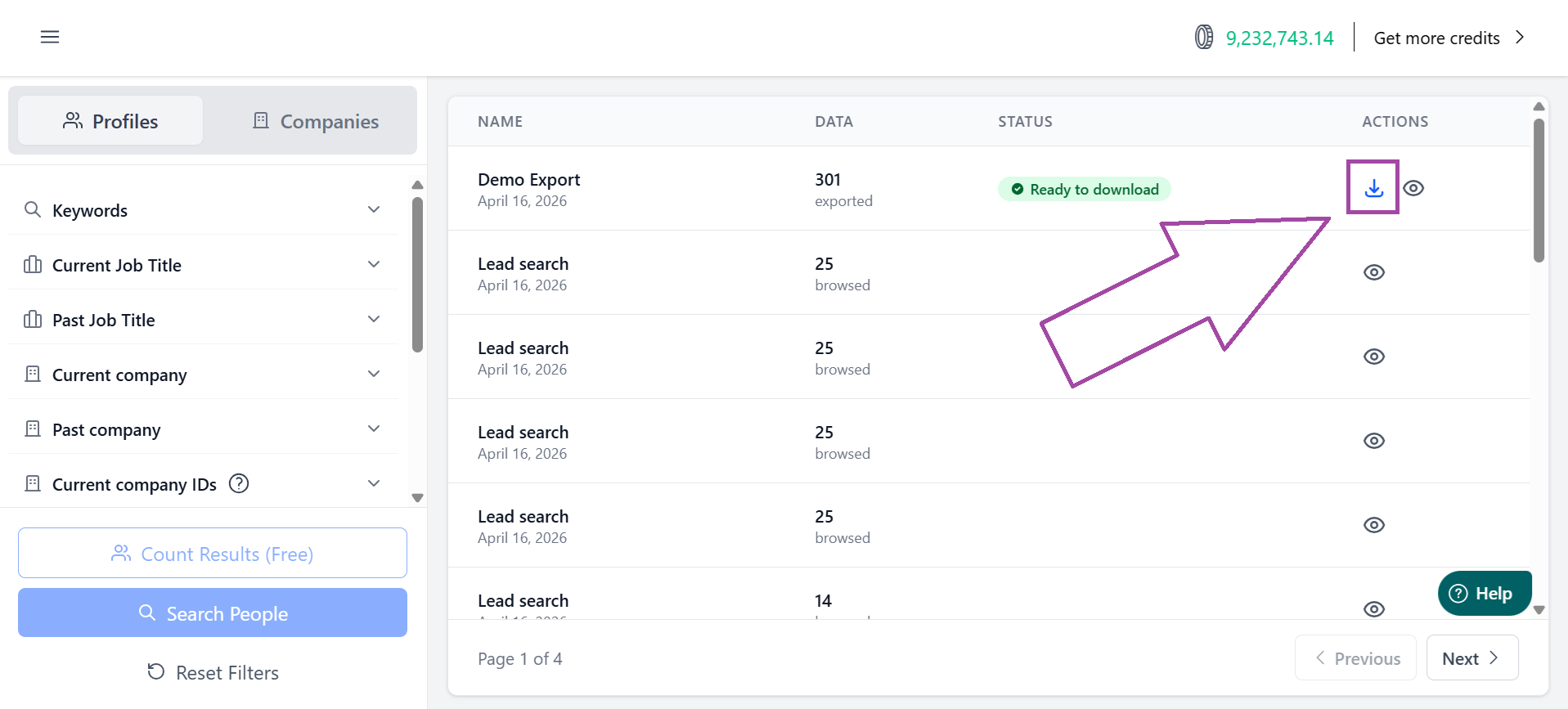
Click the download icon to download your export as a CSV file.
Leads exported from the Database don’t include emails by default. To start your outreach, run your list through our Email Finder. Just upload your CSV, and we’ll enrich it with verified, deliverable email addresses.
How to Automate This Process
The process described above is manual. All Icypeas power users build automated data pipelines. Automating a workflow couldn't be simpler, with two options available: using our API or our MCP server.
➡️ This tutorial explains how to integrate the Icypeas API via vibe-coding.

➡️ This tutorial explains how to connect our MCP server to Claude.

What If You Have More Than 200 Companies?
You can add a maximum of 200 items to each search filter. If your account list exceeds this limit, you’ll need to split your search into multiple batches - each searching for your specific job titles within a subset of your accounts. While doing this manually can be tedious, it is seamless when handled programmatically. We recommend using our API or MCP server; your script can simply loop through your list until every account has been processed.
FAQ
Is there a limit to how many leads I can export at once?
Yes, but this limit is high: you can export up to 50,000 leads per search.
How much does it cost to export leads?
Browsing is free. Exporting costs 0.02 credit per lead. If you're on the Hypergrowth plan, that's $0.0001 per exported lead.
When I input multiple job titles into the filter, does it use OR or AND logic?
All our search filters use OR logic. For job titles, you can input multiple variations (e.g., "Marketing Manager", "Growth Lead", "Head of Demand Gen") to capture all titles related to a specific role category.
Can I exclude certain titles from my search?
Absolutely. If you want to find "Managers" but exclude "Project Managers," you can use the Exclude filter. This is crucial for cleaning up "noisy" titles that might otherwise clutter your target account list.
What happens if a company in my list isn't in the Icypeas database?
While our database is vast, some very small or brand-new companies might not be indexed yet. In these cases, the search will simply return zero results for that specific entity.
How often are the profiles refreshed in the Lead Database?
The profiles are refreshed on a monthly basis.

























































































.png)



.webp)