.avif)
Who Owns This Email Address: 2026 Guide for Pros

.avif)
You're staring at a new lead in the CRM, and the only thing you've got is a strange address, a generic Gmail inbox, or a work mailbox that nobody on your team recognizes. Sales wants to know if it's a real buyer. Marketing wants to know if it's worth nurturing. Ops wants the record cleaned before it pollutes the database again. In B2B, who owns this email address is rarely a curiosity, it's the first practical question behind qualification, routing, enrichment, and deliverability.
Email matters because it's one of the internet's biggest identity layers. The Radicati Group projects more than 4.6 billion email users worldwide by 2025, about 6% above 2023, with daily traffic in the hundreds of billions and still rising year over year, which is why a single address often becomes the most stable cross-service identifier in B2B workflows (Radicati Group email statistics summary). That scale creates the opportunity, and the mess. There are billions of records to resolve, but also duplicates, shared inboxes, stale job changes, and provider-specific quirks that make ownership harder to pin down than it looks.
Table of Contents
Why Identifying an Email Owner Matters in B2B
A demo request from info@prospect-company.com looks straightforward until someone has to route it. It could belong to procurement, a founder, an intern, or a competitor testing the form. The same problem appears with a Gmail signup that arrives without a company name. Guessing wrong wastes a rep's time, weakens personalization, and leaves a messy CRM record that causes friction later.
The operational reason comes before the human curiosity
B2B teams ask “who owns this email address” because they need to act on the answer. Sales wants to know whether to open a deal, marketing wants to know where to place the contact, and revenue operations wants to know whether the record should be merged, suppressed, or enriched. Email identity resolution is a workflow gate, not a side task.
Stability is the other reason. Names change, jobs change, and domains change, but the address often stays useful long enough to anchor enrichment and routing. In practice, that makes email one of the cleaner starting points for resolving a person or company profile when the rest of the record is incomplete.
Practical rule: start with the address, then build confidence from multiple signals.
Open-source intelligence supports that approach. A close look at public records, profiles, and domain clues gives you context before you commit a record to the CRM, and a short primer on open-source intelligence for email research helps frame that workflow. Manual checks can work, but they take time, and they break down when the team needs to process many addresses with the same standard.
The concentration of email usage also matters. Gmail sits inside a large share of inboxes, which means a lot of B2B contact data flows through a few providers that shape how identity is verified, routed, and recovered. That concentration helps standardize some checks, but it also means provider rules and duplicate behavior can distort naive lookups.
For growth teams, understanding email address ownership has direct operational value. If you can map an address to a current professional profile, you reduce wasted outreach and improve CRM hygiene. If you cannot, you should treat the record as uncertain instead of forcing it into a false certainty bucket. For teams that need to process this at pace, a dedicated enrichment workflow such as Icypeas is usually easier to control than manual one-off research, while services like UK people tracing services are a different tool altogether and may raise separate legal and privacy questions depending on how the data will be used.
Manual Investigation The OSINT Approach

Manual lookup still works when you only need one answer and you don't mind spending a few minutes on it. The core idea is triangulation, not single-source certainty. Exact-match search, profile checks, and domain clues all help, but none of them is strong enough on its own to prove ownership with high confidence, which is why layered investigation is the sensible starting point (triangulation workflow guide).
Start with exact-match search, then widen the net
Put the full email address in quotes and search it as-is. That catches public bios, forum posts, speaker pages, commit logs, newsletter archives, and any other place where someone published the address directly. Then search the local part and the domain separately, because a partial match often shows up where the exact string does not.
After that, move to profile-rich platforms. LinkedIn is the obvious one for B2B, but public directories, author pages, company contact pages, and personal websites can also tie an address to a real person. When a received message is available, email headers can confirm the sending path, and if you have a company domain, WHOIS or DNS clues can help with context.
Exact-match search is useful because it surfaces public exposure, not assumptions. A good OSINT lookup is a chain of small confirmations.
For readers who want a deeper primer on the method itself, the OSINT basics are laid out in this open-source intelligence guide from Icypeas. That's the right background if you're building a repeatable manual process instead of ad hoc Googling.
A useful resource for broader identification work is UK people tracing services, especially when an address is tied to a real-world contact trail rather than a clean professional profile. Even then, manual work is time-consuming, and it breaks down quickly once you have dozens or hundreds of records to resolve.
That's the main trade-off. Manual OSINT is cheap and flexible, but every extra lookup adds friction. It's fine for one-off investigations. It's not the right foundation for recurring enrichment at scale.
Using Reverse Email Lookup Tools for Speed and Scale
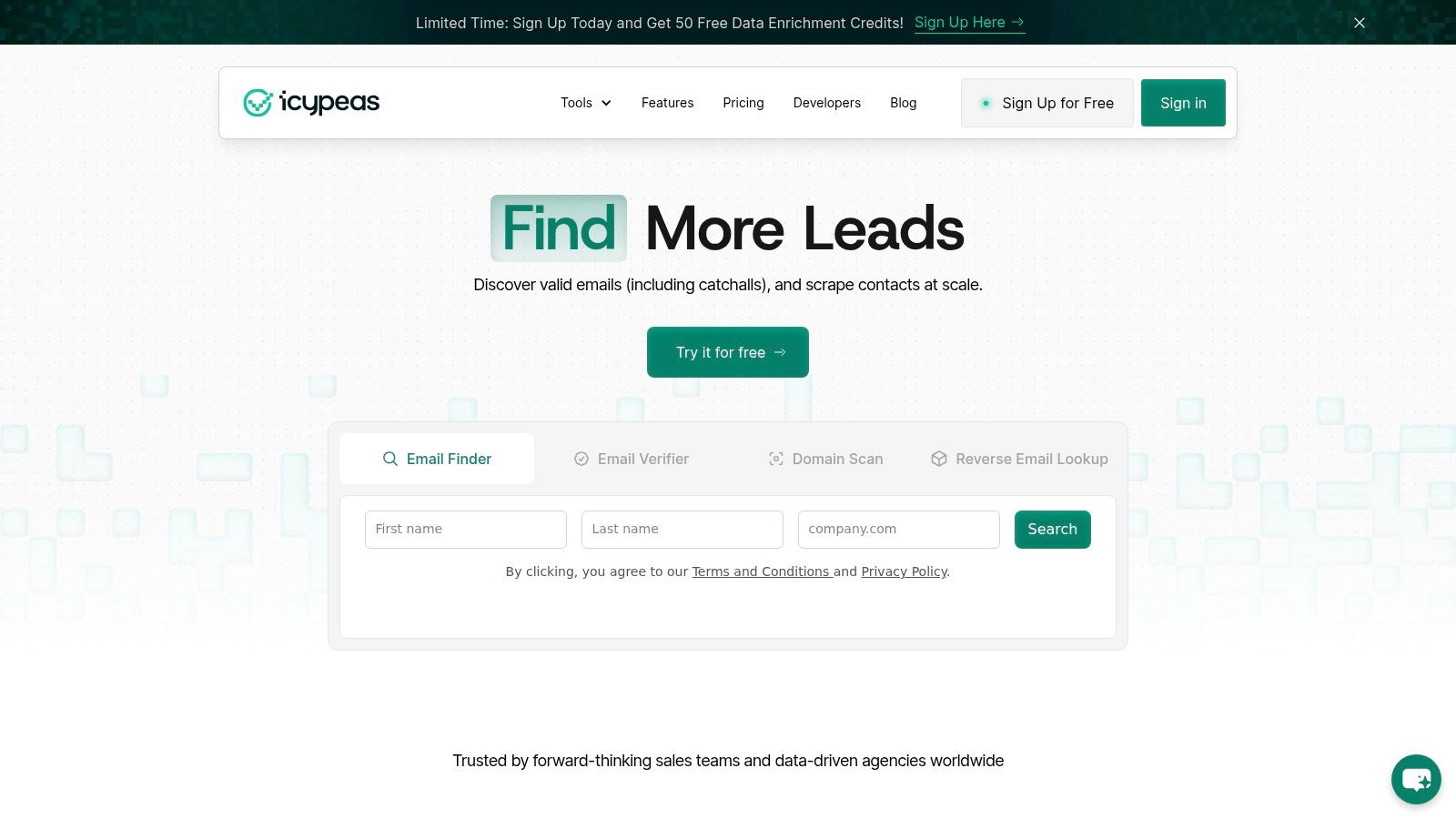
Once the task becomes repetitive, a dedicated reverse email lookup tool stops being optional. The goal is simple. Feed an address into the system, and get back a current professional profile with the kind of fields a B2B team can effectively use, like name, role, company, and social context. That's a better fit for CRM enrichment, inbound routing, and outbound personalization than repeated manual searching.
Why automation changes the workflow
Manual research is slow because every lookup starts from scratch. A tool compresses the same investigation into one action, which matters when you're processing signups, cleaning lists, or enriching leads after a webinar, event, or product trial. Icypeas offers Reverse Email Lookup for this purpose, returning professional identity data from an address so teams can move from unknown contact to usable profile without hand-curated research.
That shift is useful because B2B data work isn't just about finding a name. It's about reducing uncertainty fast enough that a rep can act, a workflow can branch, or a record can be safely merged. If a lookup result is incomplete or uncertain, the team can treat it as a signal, not a final answer.
For teams comparing approaches, a broader view of the category is helpful, and this reverse lookup tools overview is a practical place to compare use cases, not just features. Different tools solve different problems, and the best choice depends on whether you need occasional manual searches or automated resolution across a pipeline.
Use automation when the question repeats. If the same lookup happens every day, it belongs in a tool, not in a browser tab.
A key business gain is consistency. A good lookup workflow gives sales, marketing, and ops the same identity logic instead of three different people interpreting the same email differently. That reduces drift in the CRM and makes downstream actions more reliable.
Analyzing Email Headers for Deeper Clues
Headers are where a received email gets less friendly and more useful. They show the path the message took, which systems handled it, and, in some cases, whether the mail looks authentic or spoofed. This won't always tell you who owns the mailbox, but it can tell you whether the sender is acting like a real mailbox owner or a fabricated one.
What to pull from Gmail and Outlook
In Gmail, open the message menu and choose the option that shows the original source or full headers. In Outlook, open the message properties or message details to see the same metadata. You're looking for the Received lines, the message identifiers, and the authentication results that travel with the message.
The Received path is the most useful sequence because it shows each server hop. That can reveal whether the mail came from a corporate mail server, a marketing automation platform, or something that doesn't match the stated sender. If the message is suspicious, the path can also help separate a true mailbox from a spoofed “From” display.
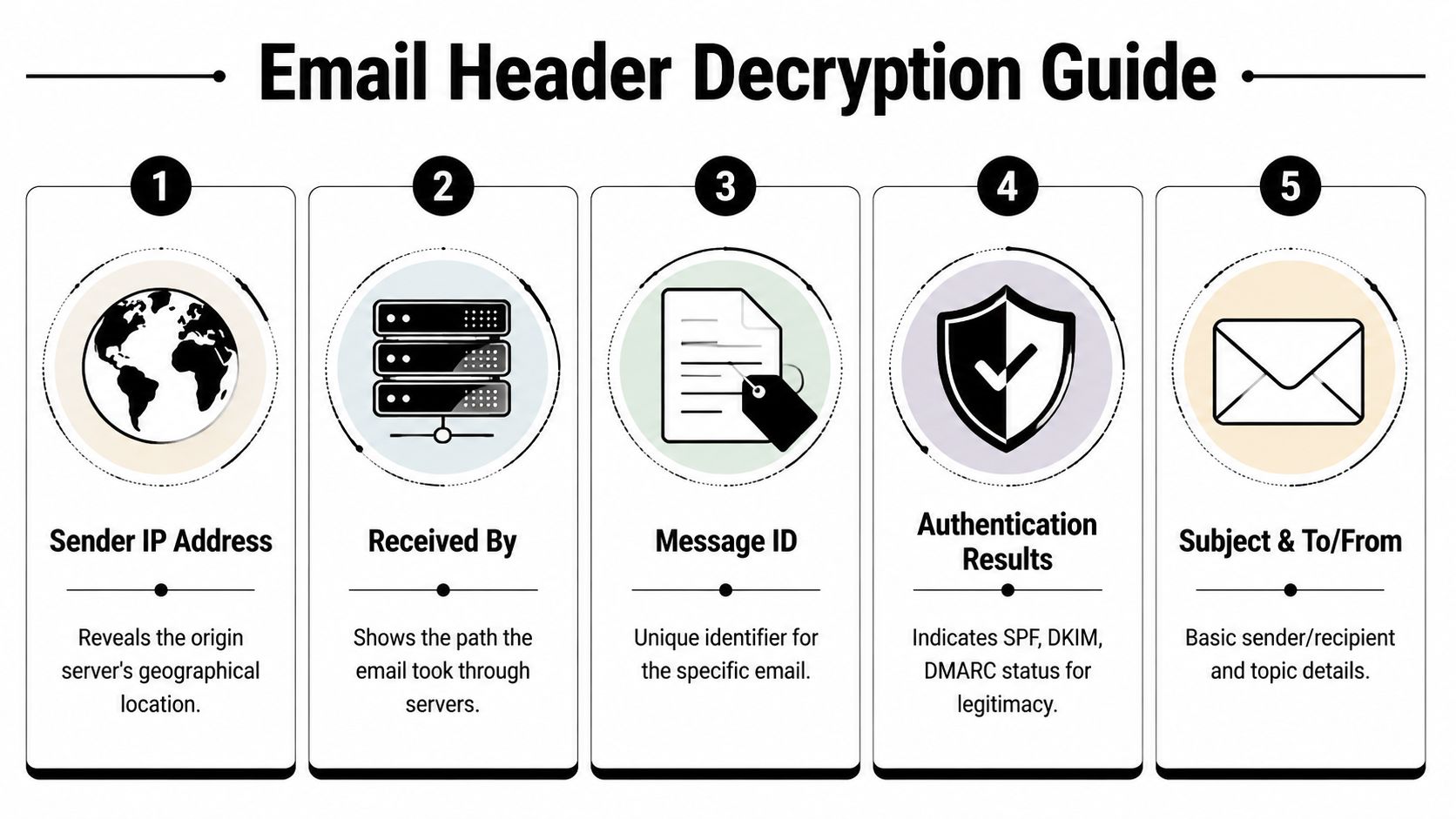
The infographic above is a good mental model. Sender IP Address can offer a geographical clue, Received By shows the route, Message ID distinguishes the specific message, Authentication Results can indicate SPF, DKIM, and DMARC status, and Subject & To/From gives the basic envelope context.
A technical read of headers is especially useful when you're trying to verify the authenticity of an unexpected message, not just identify a person. It doesn't replace lookup, but it does add forensic value that public search can't provide. If you get that wrong, you can waste time chasing a sender who never controlled the mailbox in the first place.
Verifying Deliverability and Confidence

Knowing the owner is useful, but it's not enough if the mailbox can't be contacted safely. A record can look valid and still bounce, be accept-all, or belong to a mailbox that isn't suitable for outreach. That's why identification and verification need to stay separate in a professional workflow.
Format checks are not delivery checks
A format check only tells you that the address looks syntactically correct. It doesn't tell you whether the mailbox exists, whether the domain accepts all mail, or whether a send will hurt your reputation. Real verification tools go further by checking deliverability signals and estimating risk before the email leaves your system.
Catch-all or accept-all domains create a common blind spot. The server may accept mail for every address on the domain, which makes it hard to know whether a specific person really exists. That's where confidence matters more than pretending every result is absolute.
In practice, a verification result should be treated as a decision aid, not a legal statement of existence. If the signal is strong, outreach can proceed. If it's weak or ambiguous, the record should be reviewed, enriched again, or routed more carefully.
For teams that want a practical background on delivery confirmation behavior, Mail Tracker's read receipt guide is useful context because it separates delivery-style signals from identity assumptions. They solve different problems, and confusing them leads to bad hygiene.
If your team is evaluating verification workflows, Icypeas's email verification overview is worth reading alongside lookup logic, because the best enrichment stack treats ownership, validity, and deliverability as separate checks. That separation keeps outbound lists cleaner and bounce risk lower.
A confident match is only useful if the mailbox is usable. In B2B, certainty without deliverability still wastes sends.
Handling Ambiguity and Legal Best Practices
A B2B team can identify an email owner and still get the workflow wrong. The practical question is often tied to employment status, mailbox control, privacy rules, and who is allowed to use the address inside CRM, support, or outbound sales systems. A work mailbox may be tied to one person in your records and controlled by the company that issued it, so the operational answer is usually about access and governance, not personal entitlement.
Legal ownership and practical control are not the same thing
In employer-managed environments, the company usually controls the work account. A CRM entry can point to someone who used the mailbox yesterday, then loses access after a role change or departure. The better B2B question is whether the mailbox still belongs to a live process in your system, whether it should be reassigned, and whether the person behind it can still access, transfer, or monitor it, a distinction covered in legal overviews on email ownership and control.
That matters during employee turnover, account recovery, and lead handoff. A contact record may stay useful after someone leaves, but the mailbox itself may no longer function as a personal identity. If you are cleaning a pipeline, updating account ownership, or revising outreach permissions, that difference should decide whether the record is suppressed, reassigned, or enriched again.
Private, disposable, role-based, and privacy-protected addresses create another layer of uncertainty. Some addresses cannot be tied back to a person with public evidence alone, and some look usable until the underlying mailbox turns out to be designed to hide ownership. Manual research helps, but it still leaves gaps, which is why tools like Icypeas are useful when the work has to move beyond one-off investigation and into repeatable enrichment.
A short test of confidence is still better than forcing a match.
Don't force certainty where the data does not support it. A partial match should stay partial.
Treat email identity as a governance issue as much as a research issue. Use the address only for legitimate business purposes, keep the minimum amount of exposure needed for the task, and document how a record moved from uncertain to usable before anyone acts on it. Jurisdiction and context still matter, so the safest operating habit is to make confidence visible in the CRM and avoid turning weak public traces into hard facts.
For teams that also handle call records, SnapDial's business phone recording insights are a useful reminder that capture, access, and retention rules should be intentional and documented. Email enrichment needs the same discipline, especially when a lead is being handed off, an employee has left, or a mailbox may be controlled by someone other than the person in the record.
Conclusion From Email to Opportunity
An address on its own is just a string. In B2B work, that string can become a route to the right buyer, a signal about company fit, a deliverability decision, or a cleaner CRM record that sales can use. Value comes from turning uncertain contact data into something a rep can act on without wasting time or risking a bad assumption.
The trade-off is simple. Manual investigation gives you judgment on unusual cases, but it takes time and breaks down when the same lookup has to happen across a list. Automated enrichment handles the repetitive work with more consistency, which is why a tool like Icypeas belongs in the workflow when teams need repeatable results instead of one-off guesses. The best operators keep both options available and choose based on the level of confidence they need, not habit.
Privacy and legal boundaries matter at the same time. A clean workflow does more than identify ownership, it shows why the record was considered usable, who reviewed it, and where uncertainty still remains. That discipline protects the team and keeps enrichment from turning into unsupported certainty.
The payoff is not a fuller spreadsheet. It is faster follow-up, fewer wasted touches, and better handoffs between marketing, sales, and operations. Treat every verified address as an operational asset, and every uncertain one as a prompt to do one more check before the record enters the pipeline.





































































.png)



.webp)