.avif)
Leads and Lists: A Practical Guide for B2B Sales Teams

.avif)
You open a CSV, and the numbers look good until you try to use them. Half the rows are missing titles, a chunk of the emails are already stale, and the rest sit outside your ICP, so the sequence still gets loaded, the SDR still gets pulled into list cleanup, and pipeline still moves too slowly. That's the leads and lists problem in B2B, not the semantics. It's the gap between raw records and records a rep can work.
Lead generation is still a bottleneck. One 2026 roundup says 61% of marketers call lead generation their primary challenge, 80% of new leads don't convert without nurturing, and email remains the #1 lead generation channel for 42% of businesses. The same benchmark set puts average cost per lead at $198.44, so list quality isn't a nice-to-have, it's the difference between efficient pipeline creation and expensive noise. browse the SDR assessment guide if you want a structured way to pressure-test where reps are losing time.
Table of Contents
The SDR's Daily Reality With Leads and Lists
The day usually starts the same way. An SDR exports a giant file from a lead database, pastes it into a sequencer, and tells themselves the work is already half done. Then the first send lands, the bounce rate rises, the reply thread fills with wrong titles and obsolete company names, and the rep gets pulled out of prospecting to clean records the list should've never contained in the first place.
That's why the distinction matters. A list is inventory. A lead is a record that's already been checked against your ICP, routed correctly, and made ready for action. When people treat those as interchangeable, the team ends up doing expensive manual work that should've happened before the first email went out.
Practical rule: If a rep can't explain why a contact belongs in a specific sequence, it's still a list entry, not a lead.
The work compounds fast because the rep's time is already thin. Sales rep activity data shows they spend only about 28% of their week selling, with the rest swallowed by admin and non-selling work, so every bad record takes time from a narrow selling window. In practice, that means a long CSV can make the team feel busy while reducing actual outreach quality.
A useful way to think about the morning rush is this. Raw names get sourced, records get cleaned, and only a smaller set becomes worth routing into outreach. If the process doesn't force that sequence, the SDR becomes the quality-control layer, and the pipeline suffers for it.
What Counts as a Lead Versus a List

A list is the raw dataset. It is the structured set of business contacts, usually enriched with firmographic, technographic, and behavioral data, which is how modern platforms describe it. Apollo's framing is useful because it keeps the distinction practical, a list only has value if it carries enough context to support segmentation, personalization, and routing. Apollo's lead lists guide is a solid reference for that data-model view.
A lead is what remains after qualification and operational filtering. The record has to fit the ICP, survive verification, and land in the right campaign tier before it deserves active attention. A lead is not just a contact with a company email, it is a contact you can safely and intelligently work.
The three transformations that matter
- Verification comes first. The email has to exist and accept mail, or the record creates bounce risk before it creates opportunity.
- Enrichment adds the missing context. Title, seniority, department, and company attributes make routing possible.
- Segmentation decides urgency. The record goes to the right sequence, not just any sequence.
That is why an SDR can have a large list and still have zero leads. The file may be full of names, but if the contacts are not verified, enriched, and prioritized, they are just future admin work. A 2025 Sales Operations survey found that 68% of marketing ops leads report list-quality bottlenecks before sales teams do. That is usually where the gap shows up first, because marketing ops sees the difference between list size and usable pipeline quality before the reps do.
A long list is not a good list. It is only a bigger cleanup project if the records do not carry enough context to route and personalize.
The practical test is simple. If a record cannot be verified, enriched, and assigned a next action, it belongs in the list layer, not the lead layer.
Anatomy of a Modern B2B Lead List
A modern B2B list works because each record carries several layers of context, not because it contains more names. The useful layers are firmographic, technographic, trigger events, and intent signals. Each one solves a different operational problem, and together they change how reps decide who gets time first.
The four layers and what they do
| Layer | Examples | What it enables |
|---|---|---|
| Firmographic | Industry, employee count, revenue band, geography | Core ICP segmentation and account routing |
| Technographic | The software stack a prospect uses | Message relevance and compatibility-based positioning |
| Trigger events | Funding rounds, leadership changes, hiring surges, product launches | Timed outreach tied to change in buying context |
| Intent signals | Active research, comparison-page visits, content downloads | Priority ranking for the hottest records |
The logic is straightforward. Firmographics help you decide whether the account belongs in the universe at all. Technographics tell you how to speak to it. Trigger events tell you when the timing might be right. Intent signals tell you who deserves immediate attention.
The trade-off is freshness versus coverage. Every extra layer adds sourcing effort, and some layers age faster than others. That's why a strong list strategy doesn't chase every possible field. It chooses the two or three that improve routing and message fit for the motion you're running.
One more benchmark matters here. Recent lead-list data says organizations generate about 1,877 leads per month on average, with around 1,523 of those classified as MQLs in that dataset. That scale only works when records are sorted by value, not dumped into the same workflow. Martal's lead list breakdown is useful background on the data types that drive that prioritization.
Build, Verify, and Enrich a List Without Breaking Deliverability
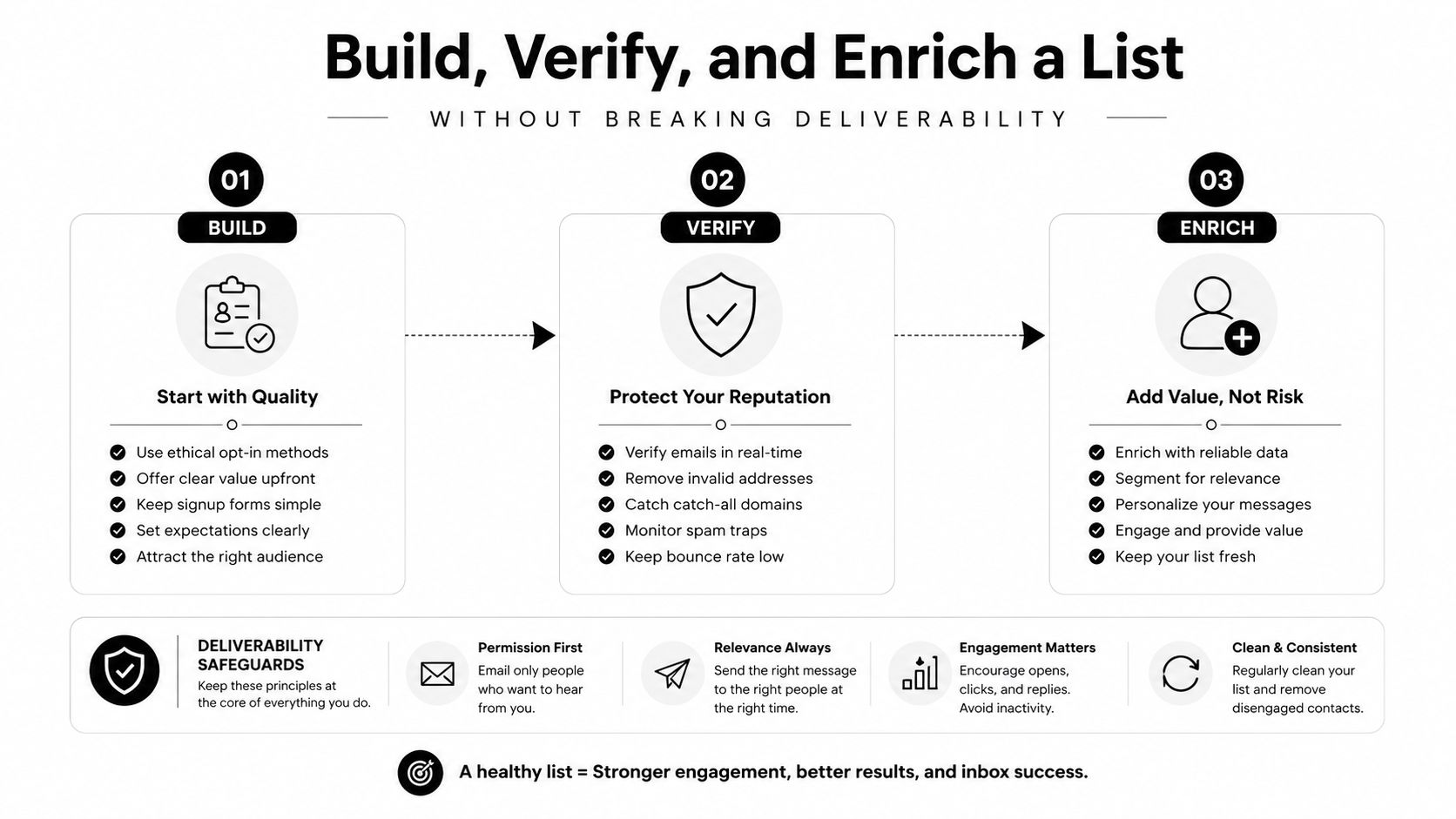
The cleanest workflow starts with raw sourcing, not with sending. Pull contacts from a database or inbound form, normalize the basics first, then verify before anything touches a sequencer. That order matters because once a bad address enters the send path, it affects deliverability, sender confidence, and the amount of manual cleanup the team inherits afterward.
A workable order of operations
- Normalize first: Standardize titles, company names, and country codes so matching works consistently across systems.
- Verify in batch: Run email verification before the first send, and handle catchall domains as a distinct case instead of assuming they're safe.
- Enrich after verification: Add seniority, department, and company attributes once the record is confirmed usable.
- Sync in batches: Large-scale hygiene and CRM updates need batched updates, not one-record-at-a-time handling, because the operational tooling is built that way. Adobe Marketo's list membership API, for example, supports up to 300 lead IDs per add or remove call and uses a default and maximum batch size of 300 when retrieving members. Adobe Marketo's list membership documentation makes the batching constraint explicit.
The reason to verify before enrichment is simple. There's no point spending time and money on fields attached to records that can't safely receive mail. Once a record clears verification, the added context improves routing and segmentation instead of just making the database look fuller.
A vendor's verification process matters more than many teams admit. If catchall handling is sloppy, the team ends up sending to addresses that look valid but behave unpredictably. Icypeas' own email verification guidance is a useful reference point for what a strict verification step should account for. email verification services
The sequencing also protects the send side. Build, verify, enrich, then route. If you reverse those steps, the stack spends its time repairing avoidable mistakes.
Quality Versus Size and Where SDR Time Actually Goes
The instinct to chase a bigger list comes from a good place. Teams want more opportunities in the funnel, and leadership wants more names in motion. The problem is that a bigger list often just creates more work for the same SDR who already has too little selling time.
Speed-to-lead is one reason list quality matters so much. Responding within 5 minutes can increase conversion rates by 9x, which means the best opportunity is often the one that gets handled correctly right away, not the one that sits in a giant queue. GrowthList's lead generation statistics roundup connects that speed effect to broader lead-generation friction.
Why volume alone breaks down
When a team treats every contact the same, three things happen. The SDR wastes time on poor-fit records, deliverability takes a hit from avoidable bounces, and the best-fit leads get no extra attention because they're buried in the same pile as low-probability contacts. That's not more pipeline, it's more chaos.
A better rule is to ration effort by likely value.
Operational rule: Not every record deserves enrichment, not every record deserves verification, and not every record deserves manual review.
That's where prioritization beats sheer size. The right question isn't how many contacts the list contains, it's which slice of the list deserves the most expensive treatment. For many teams, that means giving manual review to the high-fit, high-intent subset while lower-priority records stay in automated tracks.
For teams building their motion, the broader demand-gen playbook matters too. The demand generation guide for software firms is a helpful contrast to list-heavy thinking because it pushes the conversation toward demand quality, not just database size.
The practical takeaway is blunt. If SDR time is the binding constraint, then list processing should protect that time, not consume it.
Segmentation Tactics That Turn a List Into Pipeline
Segmentation is where data stops being descriptive and starts being operational. A list can hold plenty of useful attributes, but until those attributes determine who gets deep treatment and who gets a lighter touch, the team is still just storing contacts.
Segment by fit first, then by behavior
The most effective split is usually ICP tier. Tier 1 accounts deserve the deepest enrichment and the most personal outreach. Tier 3 accounts can sit in lower-effort sequences, because spending the same manual time on both tiers is a bad use of rep capacity. That's the practical answer to the bigger-list reflex, and it keeps expensive work focused where the odds are better.
Behavior can move a record up a tier fast. A content download, a comparison-page visit, or a pricing-page visit can justify a different sequence than the one the contact started in. Trigger events work the same way. A leadership change or funding round can raise priority immediately if the rest of the record already fits the ICP.
The mistake many teams make is segmenting on fields that don't predict conversion. It feels organized, but it doesn't change outcomes. A clean segment should let you answer three questions quickly. Does this account fit? Does the timing justify action? Does the signal justify a human touch?
The more expensive the touch, the more explicit the segment should be.
For AI-assisted personalization, the key is still the same. The data has to support relevance before the model can improve copy. Icypeas' AI-driven personalization guidance fits well here because it reinforces a simple reality, personalization only works when the underlying record is strong enough to personalize against.
Segmentation is the bridge between the list and the pipeline. It decides what gets enriched, what gets automated, and what gets ignored for now.
Compliance and Data Sourcing for Leads and Lists
Compliance isn't a legal footnote. It shapes how the list is built in the first place. If the sourcing model is sloppy, the team inherits legal risk, poor freshness, and weak trust in the data before the first campaign even launches.
Sourcing affects both legality and freshness
For B2B prospecting, the practical distinction is between consent-based outreach and legitimate-interest-based outreach. Teams need to know which basis applies before they start sending, because the sourcing channel affects what they can reasonably defend later. Open-source intelligence and periodically refreshed public-data sources are easier to justify than live scraping from platforms that prohibit it, and they're often more stable for operational use.
Buying random lists is still a bad shortcut. It usually creates deliverability problems, stale records, and poor fit, which is exactly why guides like why buying a list hurts deliverability are worth reading before someone signs a vendor contract. The downside isn't just compliance risk, it's that the data often behaves like junk from day one.
For governance, the best habit is to ask vendors direct questions. Where did the data come from, how often is it refreshed, how is it hosted, and what controls exist for removal and suppression? Icypeas' data governance practices matter here because governance is what keeps enrichment usable after the first import.
The cleanest rule is simple. If you can't explain the sourcing, you probably can't trust the list. If you can't trust the list, you shouldn't route it into active outbound.
Where Icypeas Fits in a Leads and Lists Stack
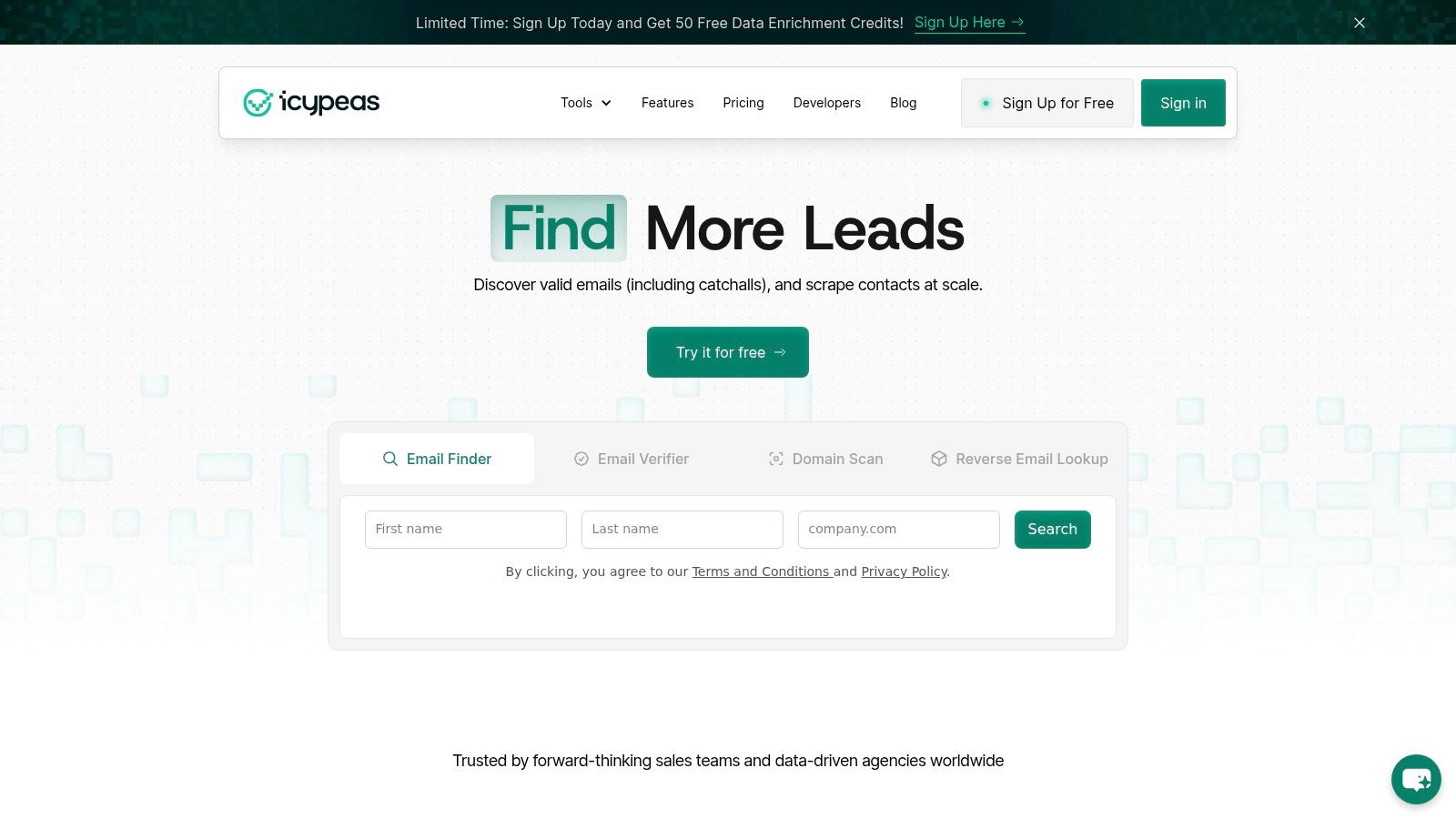
Icypeas fits into the workflow at the exact points where raw records turn into usable records. The Lead Database is for sourcing target contacts and company context. Email Finder fills missing work addresses from names and domains. Email Verifier sits before send, including catchall handling, so the sequencer doesn't inherit avoidable bounce risk. Reverse Email Lookup helps resolve inbound sign-ups into fuller records. People Scraper adds titles, company details, and profile summaries that support personalization.
The developer side matters just as much. For product teams and RevOps operators, the stack needs to work in batches, not one record at a time, and it needs to fit into CRM sync and workflow automation without constant manual intervention. Icypeas also describes a Lead Database of 575M people profiles updated monthly and 62M company profiles, with people data sourced from multiple publicly available sources rather than live scraping, and an Email Verifier built for low-bounce validation including Google and Microsoft catchall verification. Those are the parts of the stack that matter when list quality and deliverability are on the line.
Practical entry points
- Sourcing target records: Start with the Lead Database when you need a list to work from.
- Filling missing emails: Use Email Finder when you already have names and domains but not work addresses.
- Protecting deliverability: Run Email Verifier before any outbound sequence.
- Resolving inbound leads: Apply Reverse Email Lookup to sign-ups that need to become routed records.
- Adding context: Use People Scraper when titles, company details, or profile summaries are missing and personalization depends on them.
If you're wiring this into a stack, keep the sequence disciplined. Source, verify, enrich, then segment. That order keeps the list usable and the send path cleaner.
If you want a tighter workflow for turning raw contacts into verified, prioritized leads, take a look at Icypeas. It's built for teams that care about deliverability, enrichment, and operational control, not just raw list size.






















































.png)



.webp)